
Intel Core Ultra 9 Processor 285K vs Intel Core i7-14700K
The Intel Core Ultra 9 Processor 285K is the premium option here, offering a solid power efficiency boost with a base clock of 3.7GHz compared to the Intel Core i7-14700K's 3.4GHz. In real-world use, this means the Ultra 9 runs cooler, with a max temp of 105°C versus 100°C, making it a strong fit for gamers who push their systems hard. However, the i7-14700K shines with its higher thread count at 28 threads, which can significantly enhance performance in multi-core applications. If you do a lot of content creation or demanding multitasking, the additional threads in the i7 can make a noticeable difference in your workflow, despite the Ultra 9's superior clock speed. Key specs: Cores/Threads: 24C/24T vs 20C/28T and Max Temp: 105°C vs 100°C.
Why compare these? Both the Intel Core Ultra 9 Processor 285K and Intel Core i7-14700K are high-end processors competing in the same market segment. This makes them direct rivals for buyers looking for high-end features and performance in 2026. Understanding their differences helps you choose the right one for your specific needs.
As an Amazon Associate I earn from qualifying purchases.
Key Differences at a Glance
| Aspect | Intel Core | Intel Core |
|---|---|---|
| User Rating | ✓4.6★ (512 reviews) | 4.4★ (12 reviews) |
| Top Strength | Significantly improved power efficiency compared to 14th Gen | Significant multi-core performance boost over 13700K (4 extra E-cores) |
| Main Drawback | Removal of Hyper-Threading reduces performance in some specific multi-threaded apps | Very high power consumption and thermal output |
| Market Position | Premium | Premium |
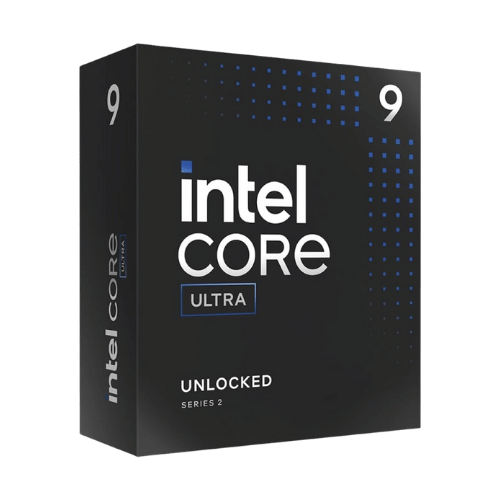
Intel Core Ultra 9 Processor 285K
Core Ultra 200S Series (Arrow Lake-S)
Socket LGA1851
24 Cores (8P + 16E) / 24 Threads
P-Core: 3.7 / 5.5 GHz; E-Core: 3.2 / 4.6 GHz; Max Turbo: 5.7 GHz (TVB)
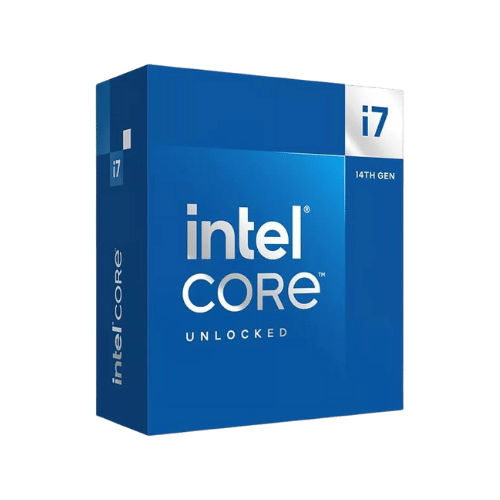
Intel Core i7-14700K
Raptor Lake Refresh (14th Gen Intel Core)
Socket LGA1700 (FCLGA1700)
20 Cores (8P + 12E) / 28 Threads
P-Core: 3.4 / 5.5 GHz; E-Core: 2.5 / 4.3 GHz; Max Turbo: 5.6 GHz
Only the specs that differ are shown here. Winners are highlighted when the data is clear.
+Full specs, pros, and cons
Everything side-by-side with ratings and the full spec list.
Expand
Full specs, pros, and cons
Everything side-by-side with ratings and the full spec list.
Comparison: Intel Core Ultra 9 Processor 285K vs Intel Core i7-14700K
Intel Core Ultra 9 Processor 285K
Intel Core i7-14700K
| Criterion | Intel Core Ultra 9 Processor 285K | Intel Core i7-14700K |
|---|---|---|
| Rating | ★4.6(512)Amazon | ★4.4(12)Amazon |
Architecture Gen | Core Ultra 200S Series (Arrow Lake-S) | Raptor Lake Refresh (14th Gen Intel Core) |
Socket Platform | Socket LGA1851 | Socket LGA1700 (FCLGA1700) |
Cores Threads | 24 Cores (8P + 16E) / 24 Threads | 20 Cores (8P + 12E) / 28 Threads |
Base Boost Clock | P-Core: 3.7 / 5.5 GHz; E-Core: 3.2 / 4.6 GHz; Max Turbo: 5.7 GHz (TVB) | P-Core: 3.4 / 5.5 GHz; E-Core: 2.5 / 4.3 GHz; Max Turbo: 5.6 GHz |
Cache L2 L3 | 40 MB L2 + 36 MB L3 (76 MB Total) | 28 MB L2 + 33 MB L3 (61 MB Total) |
TDP Power | 125 W (Processor Base Power) | 125 W (Processor Base Power) |
Max Turbo Power | 250 W (Maximum Turbo Power) | 253 W (Maximum Turbo Power) |
Process Node | TSMC N3B (Compute Tile) / TSMC N6 (SoC/IO Tiles) | Intel 7 (10nm Enhanced SuperFin) |
Memory Support | DDR5-6400 MT/s (Official); Dual-Channel; Up to 192 GB; ECC Support: Yes (W880 chipset required) | DDR5-5600 or DDR4-3200; Dual-Channel; Up to 192 GB; ECC Support: Yes (W680 chipset required) |
Memory Bandwidth Max | N/A (Dependent on RAM config, theoretical max ~102.4 GB/s @ 6400 MT/s) | 89.6 GB/s (DDR5-5600) |
Pcie Version | PCIe 5.0 (x20 lanes) + PCIe 4.0 (x4 lanes) | PCIe 5.0 (x16 lanes) + PCIe 4.0 (x4 lanes) |
Pcie Lanes | 24 Total (20 Gen5 + 4 Gen4 Direct to CPU) | 20 Total (16 CPU PCIe 5.0 + 4 CPU PCIe 4.0) |
Igpu | Intel Graphics (4 Xe-cores, 300 – 2000 MHz, Xe-LPG Architecture) | Intel UHD Graphics 770 (32 EUs, 300 – 1600 MHz) |
Instruction Features | Intel 64, AVX2, VNNI, AES-NI, VT-x, VT-d, SSE4.2; NPU: Intel AI Boost (13 TOPS) | Intel 64, AVX2, AES-NI, VT-x, VT-d, SSE4.1/4.2, Gaussian & Neural Accelerator 3.0 |
Cooler Included | No (360mm+ Liquid Cooler highly recommended) | No (360mm Liquid cooler highly recommended) |
Max Temp | 105°C (221°F) TjMax | 100°C (212°F) TjMax |
Notes Limits | First flagship Intel desktop CPU to drop Hyper-Threading (24 threads total vs 32 on 14900K). Higher thermal limit (105°C) by design. Requires LGA1851 motherboard (Z890). | Known for extremely high power draw and heat; often exceeds 253W limit on default motherboard settings. 4 extra E-cores vs i7-13700K. LGA1700 platform is end-of-life (no future upgrades). |
Chipset Support | Intel 800 Series (Z890, B860, H810, W880) | Intel 700 Series (Z790, B760, etc.) & 600 Series (BIOS update required) |
| Pros |
|
|
| Cons |
|
|
As an Amazon Associate I earn from qualifying purchases. | Check Price on Amazon→ | Check Price on Amazon→ |
Intel Core Ultra 9 Processor 285K
Core Ultra 200S Series (Arrow Lake-S)
Socket LGA1851
24 Cores (8P + 16E) / 24 Threads
P-Core: 3.7 / 5.5 GHz; E-Core: 3.2 / 4.6 GHz; Max Turbo: 5.7 GHz (TVB)
40 MB L2 + 36 MB L3 (76 MB Total)
125 W (Processor Base Power)
Pros
- Significantly improved power efficiency compared to 14th Gen
- Lower operating temperatures in gaming workloads
Cons
- Removal of Hyper-Threading reduces performance in some specific multi-threaded apps
- Requires new LGA1851 motherboard (no backward compatibility)
Intel Core i7-14700K
Raptor Lake Refresh (14th Gen Intel Core)
Socket LGA1700 (FCLGA1700)
20 Cores (8P + 12E) / 28 Threads
P-Core: 3.4 / 5.5 GHz; E-Core: 2.5 / 4.3 GHz; Max Turbo: 5.6 GHz
28 MB L2 + 33 MB L3 (61 MB Total)
125 W (Processor Base Power)
Pros
- Significant multi-core performance boost over 13700K (4 extra E-cores)
- Excellent gaming performance, rivaling top-tier flagships
Cons
- Very high power consumption and thermal output
- Requires a high-end cooling solution (360mm AIO recommended)
Which one is better?
The Intel Core Ultra 9 Processor 285K is the better buy for most people - its 24 cores and 3.7GHz base clock crush the i7-14700K. That said, grab the i7-14700K if you need extra threads for multi-core tasks - it's a strong fit for productivity with 28 threads.
Who should buy each?
Choose the Intel Core Ultra 9 Processor 285K if: you want superior gaming performance with cooler temperatures, prefer a more efficient power draw, or plan to upgrade your motherboard for the latest tech.
Choose the Intel Core i7-14700K if: you need maximum multi-core performance for video editing, require a versatile memory setup, or want a more immediate upgrade path from older Intel chipsets.
Quality Seekers
Higher user rating (4.6★ vs 4.4★) indicates better overall satisfaction
→ Choose Intel Core
Safe Choice Buyers
More widely tested with 512 reviews vs 12
→ Choose Intel Core
Significantly improved power Priority
Significantly improved power efficiency compared to 14th Gen
→ Choose Intel Core
Significant multi-core performance Priority
Significant multi-core performance boost over 13700K (4 extra E-cores)
→ Choose Intel Core
Conclusion
Intel Core Ultra 9 Processor 285K and Intel Core i7-14700K are both solid choices. Match the strengths above to your budget and workflow to make the best call.
Bottom line: The Intel Core Ultra 9 Processor 285K edges ahead with a 4.6★ rating compared to 4.4★. However, Intel Core i7-14700K remains a strong contender if its strengths align better with your needs.
Frequently Asked Questions
+Which is better: Intel Core Ultra 9 Processor 285K or Intel Core i7-14700K?
Intel Core Ultra 9 Processor 285K is the better choice if you prioritize significantly improved power efficiency compared to 14th gen. Intel Core i7-14700K wins if you value significant multi-core performance boost over 13700k (4 extra e-cores). Both are rated highly (4.6★ vs 4.4★), so consider your specific needs and budget.
+What are the main differences between Intel Core Ultra 9 Processor 285K and Intel Core i7-14700K?
Key differences: Intel Core Ultra 9 Processor 285K offers significantly improved power efficiency compared to 14th gen, while Intel Core i7-14700K stands out with significant multi-core performance boost over 13700k (4 extra e-cores). Consider that Intel Core Ultra 9 Processor 285K removal of hyper-threading reduces performance in some specific multi-threaded apps. Meanwhile, Intel Core i7-14700K very high power consumption and thermal output. Check the detailed specs table above for a complete comparison.
+What should I prioritize when choosing between these processors?
Focus on the features that matter most for your daily use. Intel Core Ultra 9 Processor 285K stands out for significantly improved power efficiency compared to 14th gen and lower operating temperatures in gaming workloads. Intel Core i7-14700K excels at significant multi-core performance boost over 13700k (4 extra e-cores) and excellent gaming performance, rivaling top-tier flagships. Check the spec table above for the complete side-by-side breakdown.
Affiliate disclosure
PageBen uses Amazon affiliate links. If you purchase through our links, we may earn a commission at no extra cost to you. This supports independent content for US shoppers.