
OLED Monitors in 2025: Is Burn-In Still a Nightmare?
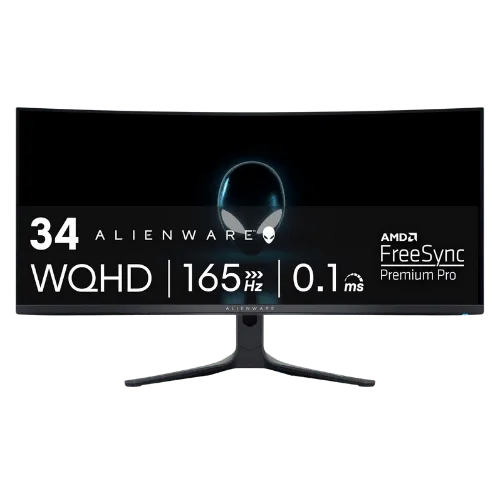
OLED Monitors in 2025: Is Burn-In Still a Nightmare?: ranked by real specs like panel type, refresh rate, and resolution. The Alienware AW3423DWF takes our top spot for monitors in 2025 - its 165Hz refresh rate and QD-OLED panel deliver stunning visuals that blow away the competition. After comparing the specs, this 34" monitor offers a resolution of 3440 x 1440, making it perfect for gamers who crave immersive experiences. In real-world use, the instantaneous 0.1ms response time ensures you won't miss a beat during fast-paced action. Use the buttons above to check current prices and availability.
How We Pick These Products
PageBen prioritizes usefulness for US shoppers. Affiliate commission does not decide recommendations, rankings, or verdicts.
Sources Checked
Official specifications, Retailer ratings, Manufacturer documentation, Buyer feedback.
Decision Factors
We weigh panel type, resolution, refresh rate, brightness, color coverage, ergonomics, and desk fit.
Editorial Standard
Research-based analysis from documented specs, published lab measurements, and verified-buyer evidence. Any hands-on note is labeled as such. Full methodology.
⚡ Quick Summary
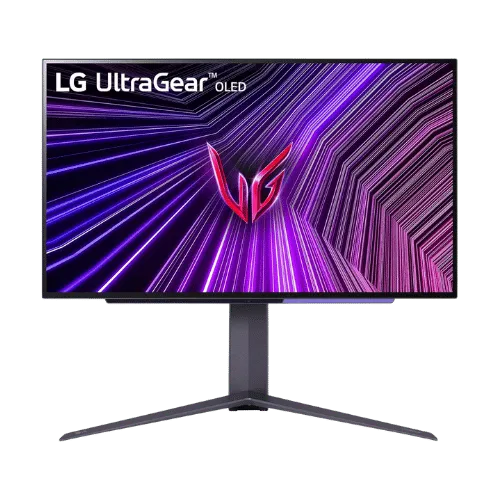
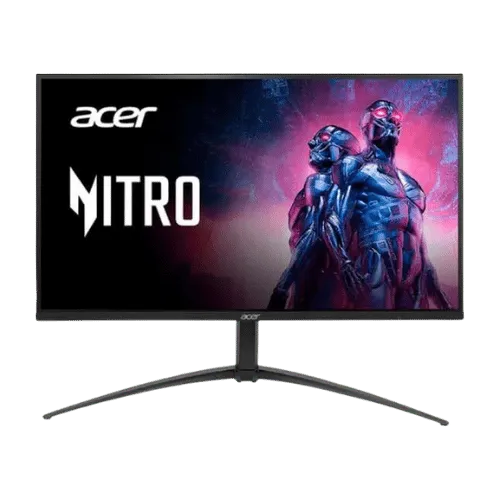
For most monitors buyers in 2025, the Alienware AW3423DWF 34" QD-OLED Curved Gaming Monitor offers the best combination of performance and value. The LG UltraGear 27GR95QE-B 26.5" QHD OLED 240Hz Gaming Monitor is a strong alternative, while the Acer Nitro XV275K P5 27" 4K Mini-LED Dual-Mode Gaming Monitor delivers excellent value on a tighter budget.
Top picks
As an Amazon Associate I earn from qualifying purchases.
The Alienware AW3423DWF shines with its 34" QD-OLED display, delivering 165Hz refresh rate and a jaw-dropping 3440 x 1440 resolution. This monitor is perfect for gamers seeking stunning visuals and ultra-fast performance. Plus, its 3-year warranty specifically covers burn-in, making it a safe investment for years to come. Tap the button to see today's price.
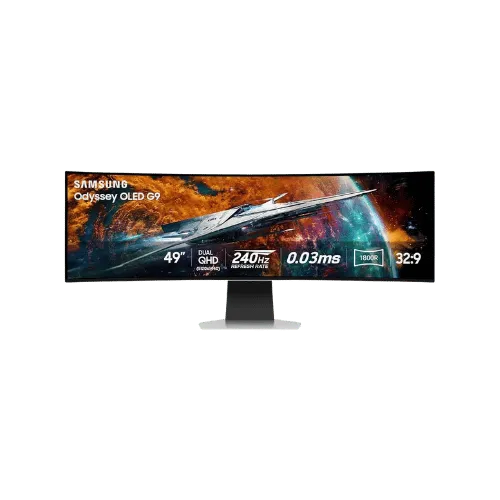
The Samsung Odyssey G9 offers an expansive 49" screen with a 240Hz refresh rate, perfect for multitasking or immersive gaming. Its 5120 x 1440 resolution makes it an impressive choice for those who want a dual-monitor setup without the bezel gap. However, be aware that its warranty does not cover burn-in. Tap the button to see today's price.
The LG UltraGear 27GR95QE-B is a 26.5" WOLED monitor with a blistering 240Hz refresh rate, ideal for competitive gamers. It offers a peak brightness of 1,000 nits, ensuring vibrant visuals in HDR content. While it lacks a specific burn-in warranty, its design minimizes the risk, making it a strong fit for serious gamers. Tap the button to see today's price.
The Acer Nitro XV275K P5 is a versatile 27" Mini-LED monitor that supports 4K at 160Hz and 1080p at 320Hz, making it suitable for various uses. With a brightness of 1,000 nits and excellent color accuracy, it's an impressive option for both gaming and content creation. However, it doesn't offer the same burn-in protection as OLEDs. Tap the button to see today's price.
How to decide
QD-OLED (Alienware/Samsung) vs WOLED (LG): The text clarity war
QD-OLED technology, like that found in the Alienware AW3423DWF, offers a unique triangular subpixel layout that enhances color vibrancy and contrast. However, this layout can cause text fringing, making it less sharp compared to LG's WOLED panels, which utilize a more traditional RGB layout. The AW3423DWF boasts a brightness of 1,000 nits in HDR mode, compared to the LG UltraGear's peak of 1,000 nits, but the latter excels in anti-glare properties due to its matte finish. Ultimately, if you prioritize vibrant colors and depth, QD-OLED is your best bet, but for clarity in text-heavy tasks, WOLED panels may be the smarter choice.
Pixel shifting and preventative tech explained
Both Alienware and LG employ pixel shifting technology to combat burn-in, a concern that has plagued OLED displays for years. In the Alienware AW3423DWF, this feature helps mitigate the risk of static images causing permanent damage. The LG UltraGear 27GR95QE-B also implements similar measures, but its WOLED design inherently reduces burn-in risk. While no technology can entirely eliminate the threat, these innovations significantly extend the lifespan of your monitor, making them a worthy investment for gamers and content creators alike.
Warranty check: Who covers burn-in?
When it comes to warranties, the Alienware AW3423DWF stands out with a 3-year burn-in warranty, providing peace of mind for users concerned about potential damage. In contrast, the Samsung Odyssey G9 does not explicitly cover burn-in, leaving users to bear the risk. The LG UltraGear also lacks a specific burn-in warranty, although its WOLED technology is generally less susceptible. For peace of mind, choosing the Alienware monitor ensures you're protected against the dreaded burn-in issue.
Why HDR on OLED destroys IPS panels
HDR on OLED monitors like the Alienware AW3423DWF and LG UltraGear provides a level of contrast and color saturation that IPS panels simply can't match. The 1,000,000:1 contrast ratio on the AW3423DWF allows for perfect blacks, while IPS panels typically hover around 1,000:1. This means that in HDR content, you'll see highlights pop and shadows deepen, creating a more immersive viewing experience. If you're into gaming or watching movies, the superior HDR performance of OLED is a no-brainer for elevating your visual experience.
💡 Expert Tips: Monitors Buying Advice
Beyond our picks, keep these insider tips in mind when shopping for monitors:
Panel type matters: IPS for color work, VA for contrast, OLED for the best of both.
For gaming, prioritize low input lag and variable refresh rate over raw Hz numbers.
4K is overkill under 27 inches—you won't see the extra pixels at normal viewing distances.
Ergonomic adjustments (height, tilt, pivot) are worth paying for if you work long hours.
Frequently Asked Questions
+ What is the OLED Monitors in 2025: Is Burn-In Still a Nightmare?
In 2025, OLED monitors are still facing concerns about burn-in, but advancements like pixel shifting technology help mitigate these risks. The Alienware AW3423DWF offers a 3-year warranty specifically covering burn-in, providing peace of mind for users.
+ Is the Alienware AW3423DWF worth it in 2025?
Yes, the Alienware AW3423DWF is worth it in 2025, especially for gamers. Its 165Hz refresh rate and QD-OLED technology deliver stunning visuals, making it a top choice for immersive gaming experiences.
+ What should I look for when buying a monitor?
Look for key features like refresh rate, resolution, and panel type. A 165Hz refresh rate will ensure smoother gameplay, while a higher resolution like 3440 x 1440 enhances clarity and detail.
Conclusion
For gamers who want the best visual performance, the Alienware AW3423DWF is the clear choice. Its 165Hz refresh rate and 3-year burn-in warranty set it apart from the competition. While the Samsung Odyssey G9 offers a larger screen, it lacks the same warranty coverage. Use the buttons above to see live pricing and stock.
Our top recommendation:
Get Alienware AW3423DWF 34"→