
HP 15.6" Pavilion Touch Laptop Core i7-1355U vs Dell Inspiron 15 3520 — Intel Core i5-1235U
The HP 15.6" Pavilion Touch Laptop Core i7-1355U is the mid-range powerhouse, while the Dell Inspiron 15 3520 — Intel Core i5-1235U caters to those looking for budget-friendly performance. With a display brightness of 300 nits, the HP is perfect for working in bright environments, compared to the Dell's 250 nits, which is more suited for indoor use. In real-world use, the HP's processor can clock up to 5.0 GHz, making it suitable for heavier tasks, while the Dell's i5 maxes out at 4.4 GHz. If you're into gaming or multitasking, the HP's full upgradable RAM far exceeds the Dell's configurations, where only 16 GB is available officially, leaving you wanting more in the future. Key specs: Refresh: 60 Hz vs 120 Hz and Weight: 56.33 oz vs 58.55 oz.
As an Amazon Associate I earn from qualifying purchases.
How We Compare These Products
PageBen prioritizes usefulness for US shoppers. Affiliate commission does not decide recommendations, rankings, or verdicts.
Sources Checked
Official specifications, Retailer ratings, Manufacturer documentation, Buyer feedback.
Decision Factors
We weigh processor class, memory, display quality, battery life, ports, weight, and upgrade limits.
Editorial Standard
Research-based analysis from documented specs, published lab measurements, and verified-buyer evidence. Any hands-on note is labeled as such. Full methodology.
Key Differences at a Glance
| Aspect | HP 15.6" | Dell Inspiron |
|---|---|---|
| User Rating | ✓4.8★ (1,607 reviews) | 4.7★ (2,701 reviews) |
| Top Strength | Display brightness is rated at 300 nits (higher than the standard 250 nits in this class) | 120Hz refresh rate provides smoother scrolling than typical 60Hz budget laptops |
| Main Drawback | USB-C port supports data only (no charging or video output) | Most high-volume US retail configurations (e.g., Best Buy) LACK a USB-C port |
| Market Position | ✓Mid-range | Budget |
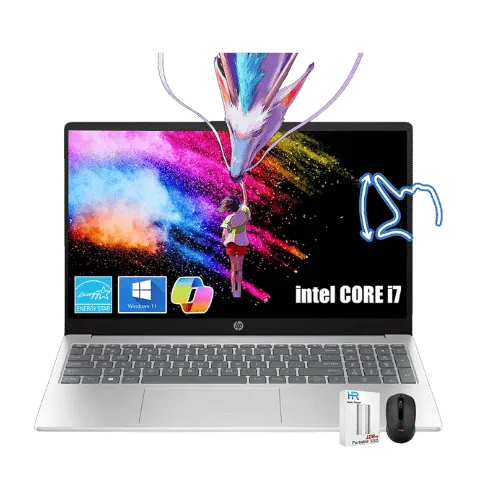
HP 15.6" Pavilion Touch Laptop Core i7-1355U
Intel Core i7-1355U (Raptor Lake, 10 cores, up to 5.0 GHz)
Intel Iris Xe Graphics (Integrated)
No (Not supported)
Air (Single fan)
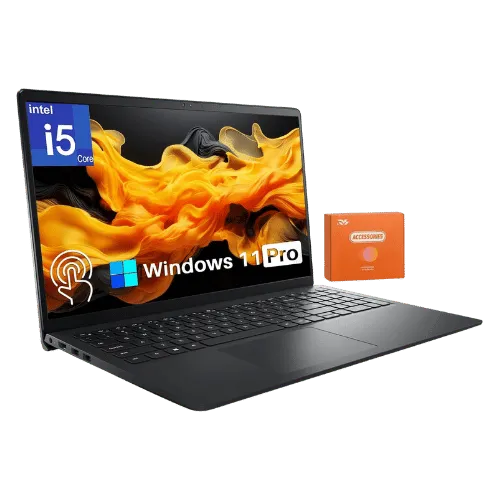
Dell Inspiron 15 3520 — Intel Core i5-1235U
Intel Core i5-1235U (Alder Lake-U, 10 cores, up to 4.4 GHz)
Intel Iris Xe Graphics (Integrated; requires dual-channel RAM, otherwise UHD)
No (Not supported)
Air (Single fan)
Only the specs that differ are shown here. Winners are highlighted when the data is clear.
+Full specs, pros, and cons
Everything side-by-side with ratings and the full spec list.
Expand
Full specs, pros, and cons
Everything side-by-side with ratings and the full spec list.
Comparison: HP 15.6" Pavilion Touch Laptop Core i7-1355U vs Dell Inspiron 15 3520 — Intel Core i5-1235U
HP 15.6" Pavilion Touch Laptop Core i7-1355U
Dell Inspiron 15 3520 — Intel Core i5-1235U
| Criterion | HP 15.6" Pavilion Touch Laptop Core i7-1355U | Dell Inspiron 15 3520 — Intel Core i5-1235U |
|---|---|---|
| Rating | ★4.8(1,607)PageBen | ★4.7(2,701)PageBen |
Processor | Intel Core i7-1355U (Raptor Lake, 10 cores, up to 5.0 GHz) | Intel Core i5-1235U (Alder Lake-U, 10 cores, up to 4.4 GHz) |
Graphics | Intel Iris Xe Graphics (Integrated) | Intel Iris Xe Graphics (Integrated; requires dual-channel RAM, otherwise UHD) |
AI Engine | No (Not supported) | No (Not supported) |
Cooling | Air (Single fan) | Air (Single fan) |
RAM | 16 GB DDR4-3200 MHz (2x 8GB) | 8 GB or 16 GB DDR4-2666/3200 MHz |
RAM Upgrade | Yes (2x SODIMM slots, up to 64 GB) | Yes (2x SODIMM slots, up to 16 GB officially, 32 GB unofficially) |
Storage | 512 GB PCIe NVMe M.2 SSD | 512 GB PCIe NVMe M.2 SSD |
Storage Upgrade | Yes (1x M.2 slot) | Yes (1x M.2 2230/2280 slot) |
Display Size | 15.6" | 15.6" |
Resolution | 1920 x 1080 (FHD) | 1920 x 1080 (FHD) |
Aspect Ratio | 16:9 | 16:9 |
Screen Type | IPS (Touchscreen; BrightView) | IPS (Anti-glare; Wide Viewing Angle) |
Refresh Rate | 60 Hz | 120 Hz |
Brightness | 300 nits | 250 nits (Typical) |
Color Gamut | 45% NTSC (approx. 60% sRGB) | 45% NTSC (approx. 60% sRGB) |
Keyboard Layout | US English (ANSI) with NumPad | US English (ANSI) with NumPad |
Keyboard Backlight | No | No (Optional/Configuration dependent; mostly No on retail units) |
Biometrics | No (Not supported) | No (Fingerprint reader is optional/configuration dependent) |
Webcam | 720p HD True Vision camera with privacy shutter | 720p HD camera |
USB Ports | 1x USB-C 3.2 Gen 1 (5Gbps; Data only); 2x USB-A 3.2 Gen 1 | 2x USB-A 3.2 Gen 1; 1x USB-A 2.0; (Note: USB-C is often ABSENT on i5-1235U US retail units) |
Video Ports | 1x HDMI 1.4b | 1x HDMI 1.4 (Supports up to 1920x1080 @ 60Hz) |
Audio Ports | 1x 3.5mm Headphone/Mic combo jack | 1x 3.5mm Headphone/Mic combo jack |
Connectivity | Wi-Fi 6 (802.11ax 2x2); Bluetooth 5.3 | Wi-Fi 6 (802.11ax 2x2); Bluetooth 5.1 |
Battery | 41 Wh (3-cell Li-ion) | 41 Wh (3-cell Li-ion) or 54 Wh (4-cell; config dependent) |
Charger | 45 W Smart AC adapter (Barrel pin) | 65 W Barrel-pin AC adapter (4.5mm) |
Weight | 1,597 g (3.52 lbs) | 1,660 g (3.65 lbs) |
Build Material | Recycled plastic | Plastic (Carbon Black) |
Operating System | Windows 11 Home | Windows 11 Home |
| Pros |
|
|
| Cons |
|
|
As an Amazon Associate I earn from qualifying purchases. | Check Price on Amazon→ | Check Price on Amazon→ |
HP 15.6" Pavilion Touch Laptop Core i7-1355U
Intel Core i7-1355U (Raptor Lake, 10 cores, up to 5.0 GHz)
Intel Iris Xe Graphics (Integrated)
No (Not supported)
Air (Single fan)
16 GB DDR4-3200 MHz (2x 8GB)
Yes (2x SODIMM slots, up to 64 GB)
Pros
- Display brightness is rated at 300 nits (higher than the standard 250 nits in this class)
- Memory is fully upgradable (2x DDR4 SODIMM slots)
Cons
- USB-C port supports data only (no charging or video output)
- Keyboard lacks backlighting
Dell Inspiron 15 3520 — Intel Core i5-1235U
Intel Core i5-1235U (Alder Lake-U, 10 cores, up to 4.4 GHz)
Intel Iris Xe Graphics (Integrated; requires dual-channel RAM, otherwise UHD)
No (Not supported)
Air (Single fan)
8 GB or 16 GB DDR4-2666/3200 MHz
Yes (2x SODIMM slots, up to 16 GB officially, 32 GB unofficially)
Pros
- 120Hz refresh rate provides smoother scrolling than typical 60Hz budget laptops
- Memory (RAM) is not soldered and can be upgraded via two SODIMM slots
Cons
- Most high-volume US retail configurations (e.g., Best Buy) LACK a USB-C port
- HDMI 1.4 port cannot output 4K at 60Hz (limited to 1080p)
Which one is better?
The HP 15.6" Pavilion Touch Laptop Core i7-1355U is the better buy for most people - its 300 nits display crushes the Dell's 250 nits. That said, grab the Dell if you want a more budget-friendly option with a smoother 120Hz refresh rate.
Who should buy each?
Choose the HP 15.6" Pavilion Touch Laptop Core i7-1355U if: you need a brighter display for outdoor use, plan to upgrade your RAM for demanding tasks, or want a more powerful processor for productivity. (60 Hz refresh, 56.33 oz weight)
Choose the Dell Inspiron 15 3520 — Intel Core i5-1235U if: you want a laptop, enjoy smoother scrolling with a 120Hz refresh rate, or have a tighter budget.
Quality Seekers
Higher user rating (4.8★ vs 4.7★) indicates better overall satisfaction
→ Choose HP 15.6"
Safe Choice Buyers
More widely tested with 2,701 reviews vs 1,607
→ Choose Dell Inspiron
Premium Buyers
Higher-tier option with more premium features and build quality
→ Choose HP 15.6"
Value Seekers
Better value proposition for buyers who don't need top-tier features
→ Choose Dell Inspiron
Conclusion
Bottom line: The HP 15.6" Pavilion Touch Laptop Core i7-1355U edges ahead with a 4.8★ rating compared to 4.7★. However, Dell Inspiron 15 3520 — Intel Core i5-1235U remains a strong contender if its strengths align better with your needs.
Frequently Asked Questions
+Which is better: HP 15.6" Pavilion Touch Laptop Core i7-1355U or Dell Inspiron 15 3520 — Intel Core i5-1235U?
HP 15.6" Pavilion Touch Laptop Core i7-1355U is the better choice if you prioritize display brightness is rated at 300 nits (higher than the standard 250 nits in this class). Dell Inspiron 15 3520 — Intel Core i5-1235U wins if you value 120hz refresh rate provides smoother scrolling than typical 60hz budget laptops. Both are rated highly (4.8★ vs 4.7★), so consider your specific needs and budget.
+What are the main differences between HP 15.6" Pavilion Touch Laptop Core i7-1355U and Dell Inspiron 15 3520 — Intel Core i5-1235U?
Key differences: HP 15.6" Pavilion Touch Laptop Core i7-1355U offers display brightness is rated at 300 nits (higher than the standard 250 nits in this class), while Dell Inspiron 15 3520 — Intel Core i5-1235U stands out with 120hz refresh rate provides smoother scrolling than typical 60hz budget laptops. Consider that HP 15.6" Pavilion Touch Laptop Core i7-1355U usb-c port supports data only (no charging or video output). Meanwhile, Dell Inspiron 15 3520 — Intel Core i5-1235U most high-volume us retail configurations (e.g., best buy) lack a usb-c port. Check the detailed specs table above for a complete comparison.
+What should I prioritize when choosing between these laptops?
Focus on the features that matter most for your daily use. HP 15.6" Pavilion Touch Laptop Core i7-1355U stands out for display brightness is rated at 300 nits (higher than the standard 250 nits in this class) and memory is fully upgradable (2x ddr4 sodimm slots). Dell Inspiron 15 3520 — Intel Core i5-1235U excels at 120hz refresh rate provides smoother scrolling than typical 60hz budget laptops and memory (ram) is not soldered and can be upgraded via two sodimm slots. Check the spec table above for the complete side-by-side breakdown.
Affiliate disclosure
PageBen uses Amazon affiliate links. If you purchase through our links, we may earn a commission at no extra cost to you. This supports independent content for US shoppers.