
1440p is Still the Sweet Spot: Why 4K is Overrated for Gaming
1440p is Still the Sweet Spot: Why 4K is Overrated for Gaming in 2026: ranked by real specs like panel type, refresh rate, and resolution. The LG 27GL83A-B 27" UltraGear QHD IPS Monitor takes our top spot for monitors in 2026 - its 144Hz refresh rate and 1ms response time blow the competition away. After comparing the specs, it's clear that 1440p delivers a sharper, more responsive experience than 4K for gaming. In real-world use, gamers will appreciate how the 27-inch QHD resolution provides plenty of detail without the hefty GPU demands of 4K, which can drop your FPS significantly. Use the buttons above to check current prices and availability.
How We Pick These Products
PageBen prioritizes usefulness for US shoppers. Affiliate commission does not decide recommendations, rankings, or verdicts.
Sources Checked
Official specifications, Retailer ratings, Manufacturer documentation, Buyer feedback.
Decision Factors
We weigh panel type, resolution, refresh rate, brightness, color coverage, ergonomics, and desk fit.
Editorial Standard
Research-based analysis from documented specs, published lab measurements, and verified-buyer evidence. Any hands-on note is labeled as such. Full methodology.
⚡ Quick Summary
For most monitors buyers in 2026, the LG 27GL83A-B 27" UltraGear QHD IPS Monitor offers the best combination of performance and value. The Dell S2721QS 27" 4K UHD IPS Monitor is a strong alternative.
Top picks
As an Amazon Associate I earn from qualifying purchases.
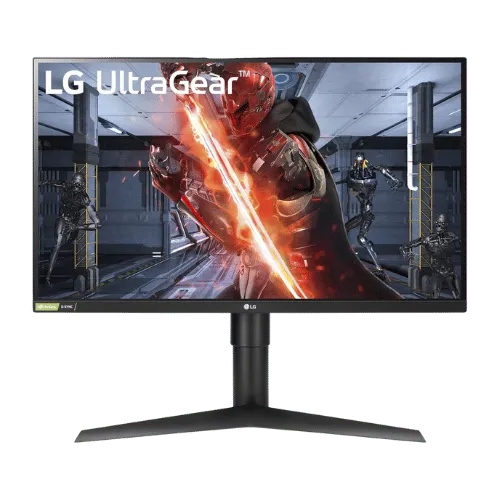
The LG 27GL83A-B stands out with its 144Hz refresh rate and 1ms response time, providing a fast and responsive gaming experience. With a resolution of 2560 x 1440, it delivers sharper images than 1080p without the heavy GPU demands of 4K. Gamers will love the vibrant 99% sRGB color accuracy and G-SYNC compatibility, making it an impressive choice for competitive gaming. Tap the button to see today's price.
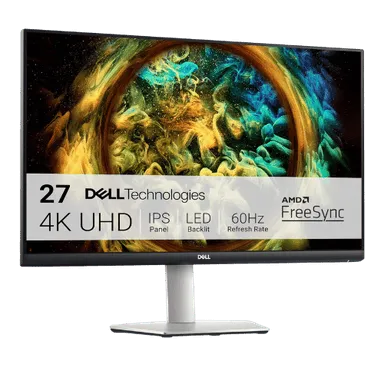
The Dell S2721QS offers a stunning 3840 x 2160 resolution, making it ideal for content creators and those who prioritize sharp visuals. Its fully adjustable stand and 99% sRGB color coverage enhance usability for long hours of work or play. However, with a limited refresh rate of 60Hz, it falls short for fast-paced gaming compared to the LG. Tap the button to see today's price.
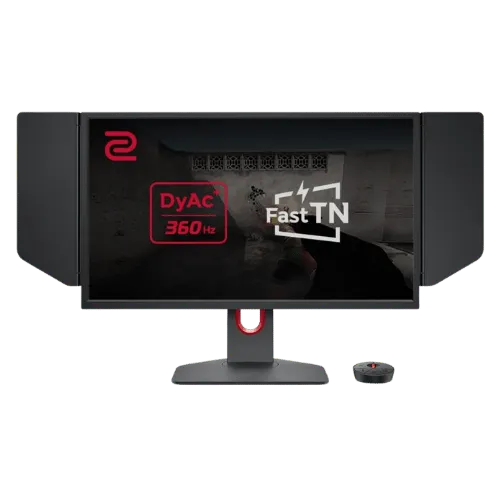
The BenQ ZOWIE XL2566K is designed for esports with its 360Hz refresh rate and 0.5ms response time, giving players a competitive advantage. Although its 1080p resolution may not be ideal for all uses, the speed and motion clarity it delivers are unmatched for competitive titles. If you prioritize performance over resolution, this is a reliable pick. Tap the button to see today's price.
How to decide
GPU requirements: FPS hit from 1440p to 4K
When gaming, the difference in resolution between 1440p and 4K can lead to a substantial FPS drop. For instance, a high-end GPU like the NVIDIA RTX 3080 might achieve around 90 FPS at 1440p but could struggle to hit 50 FPS at 4K. This decline in frame rates can affect game responsiveness and ultimately your gaming experience. The LG 27GL83A-B's 144Hz refresh rate ensures that even at high settings, you can enjoy smooth visuals without lag, making it a no-brainer for competitive play.
Pixel Density (PPI): 27-inch vs 32-inch
Pixel density plays a crucial role in how sharp images appear on your screen. The LG 27GL83A-B has a pixel density of approximately 109 PPI, which delivers crisp visuals for gaming and productivity. In contrast, a 32-inch 4K monitor would have a pixel density of about 137 PPI, but does it really matter? At a typical viewing distance, many gamers won't notice the difference, especially when 1440p already offers excellent clarity. The 27-inch size strikes a balance between immersive gameplay and desktop usability, making it a smart choice for many users.
Upscaling tech: DLSS and FSR impact on monitor choice
Technologies like NVIDIA's DLSS and AMD's FSR can enhance gaming performance, but they also complicate the monitor decision. While 4K monitors might seem appealing, using DLSS can help push frame rates closer to what 1440p offers, but with some loss in visual fidelity. The LG 27GL83A-B, however, doesn’t need these tricks to shine. Its native resolution and refresh rate provide a straightforward, high-performance experience without relying on upscaling, making it a better choice for gamers who value clarity and speed.
Why Pros still stick to 1080p (sometimes)
Interestingly, many professional gamers still prefer 1080p monitors, particularly those like the BenQ ZOWIE XL2566K, which features a 360Hz refresh rate. This setup prioritizes ultra-smooth gameplay over resolution, as the speed can provide a competitive edge. However, for most gamers, the LG 27GL83A-B offers the right balance of sharpness at 1440p and high refresh rates, making it a versatile option. It’s about finding what works best for your gaming style, but for many, 1440p is the sweet spot between 1080p and 4K.
💡 Expert Tips: Monitors Buying Advice
Beyond our picks, keep these insider tips in mind when shopping for monitors:
Panel type matters: IPS for color work, VA for contrast, OLED for the best of both.
For gaming, prioritize low input lag and variable refresh rate over raw Hz numbers.
4K is overkill under 27 inches—you won't see the extra pixels at normal viewing distances.
Ergonomic adjustments (height, tilt, pivot) are worth paying for if you work long hours.
Frequently Asked Questions
+ 1440p is Still the Sweet Spot: Why 4K is Overrated for Gaming in 2026?
In 2026, 1440p remains the sweet spot for gaming, offering a balance of performance and visual clarity that 4K cannot match without significant FPS drops. Many gamers prefer the responsiveness of 1440p, especially with high refresh rates like 144Hz.
+ Is LG 27GL83A-B worth it in 2026?
Absolutely! The LG 27GL83A-B combines a sharp 2560 x 1440 resolution with a 144Hz refresh rate, making it ideal for fast-paced gaming. With a 1ms response time, it delivers performance that many gamers crave.
+ What should I look for when buying a monitor?
Focus on resolution, refresh rate, and panel type. For gaming, a 144Hz refresh rate and at least 1440p resolution are key for smooth visuals. Also, consider adaptive sync technologies like G-SYNC or FreeSync.
Conclusion
For gamers who want a responsive and sharp experience, the LG 27GL83A-B is the clear choice in 2026. While the Dell S2721QS offers stunning 4K visuals, it can't match the speed of 144Hz that the LG provides. If you prioritize gaming performance, the LG is a smarter buy. Use the buttons above to see live pricing and stock.
Our top recommendation:
Get LG 27GL83A-B 27"→