
Vertical Monitors: Why Coders Love the Portrait Mode
Vertical Monitors: Why Coders Love the Portrait Mode in 2026: ranked by real specs like panel type, refresh rate, and resolution. The LG DualUp 28MQ780-B takes our top spot for monitors in 2026 - its unique 16:18 aspect ratio allows you to view the equivalent of two 21.5" QHD displays stacked, maximizing your workspace. After comparing the specs, it's clear that the 2560 x 2880 resolution provides stunning clarity, making it a no-brainer for developers and content creators alike. In real-world use, the Nano IPS panel covers 98% of the DCI-P3 color gamut, ensuring everything from code to graphics looks vibrant and accurate. Use the buttons above to check current prices and availability.
How We Pick These Products
PageBen prioritizes usefulness for US shoppers. Affiliate commission does not decide recommendations, rankings, or verdicts.
Sources Checked
Official specifications, Retailer ratings, Manufacturer documentation, Buyer feedback.
Decision Factors
We weigh panel type, resolution, refresh rate, brightness, color coverage, ergonomics, and desk fit.
Editorial Standard
Research-based analysis from documented specs, published lab measurements, and verified-buyer evidence. Any hands-on note is labeled as such. Full methodology.
⚡ Quick Summary
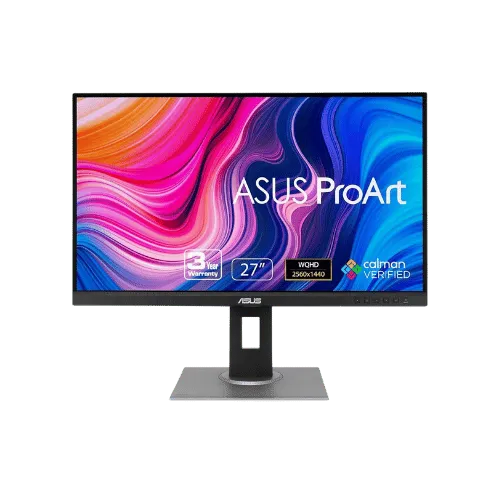
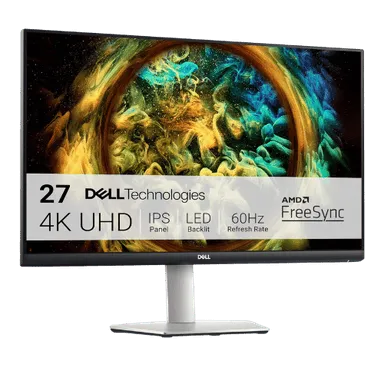
For most monitors buyers in 2026, the ASUS ProArt Display PA278QV 27" WQHD Monitor offers the best combination of performance and value. The Dell S2721QS 27" 4K UHD IPS Monitor is a strong alternative.
Top picks
As an Amazon Associate I earn from qualifying purchases.
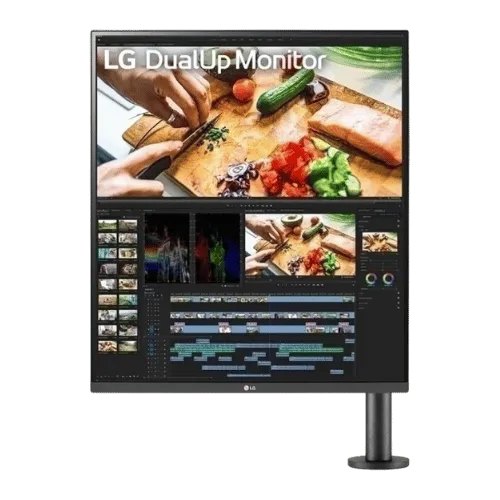
The LG DualUp 28MQ780-B stands out with its unique 16:18 aspect ratio, allowing you to see the equivalent of two 21.5" monitors stacked. With a resolution of 2560 x 2880, it delivers exceptional clarity for coding and design tasks. Plus, its 90W USB-C connectivity makes it a versatile choice for modern workspaces. Tap the button to see today's price.
The Dell S2721QS offers an impressive 4K UHD experience at a competitive price, making it ideal for media consumption and general productivity. Its fully adjustable ergonomic stand allows you to pivot to portrait mode, giving you flexibility for coding. With 99% sRGB coverage, it also provides great color accuracy for graphic work. Tap the button to see today's price.
The ASUS ProArt PA278QV is tailored for creative professionals with its factory-calibrated color accuracy and extensive connectivity options. Its 27" WQHD resolution of 2560 x 1440 is sharp and clear, and the 75Hz refresh rate offers a smoother experience than typical 60Hz displays. While it lacks USB-C, its ergonomic stand makes it easy to adjust for comfort. Tap the button to see today's price.
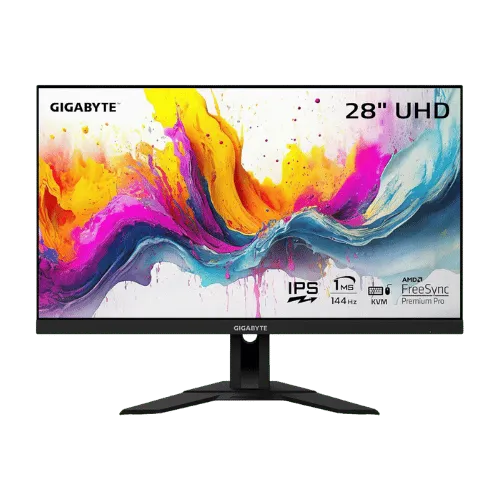
The GIGABYTE M28U combines a stunning 4K resolution with a high refresh rate of 144Hz, making it perfect for gaming and multitasking. Its built-in KVM switch allows you to control multiple devices seamlessly, while the 1ms response time ensures smooth gameplay. Although it lacks extensive ergonomics, it’s a strong fit for gamers looking for performance. Tap the button to see today's price.
How to decide
Seeing more lines of code at once
With vertical monitors, you can see more lines of code without scrolling. The LG DualUp's 27.6" display gives you a height advantage, allowing for 2880 pixels in portrait mode. In contrast, the Dell S2721QS offers a 3840 x 2160 resolution but lacks the vertical height, making it less efficient for coding tasks. The ASUS ProArt PA278QV also provides a solid 2560 x 1440 resolution, but again, it can't match the effective vertical space of the DualUp. That extra vertical real estate translates to fewer interruptions when you're deep in coding.
Ergonomics of stacking monitors
Stacking monitors can take up valuable desk space, but vertical monitors like the LG DualUp eliminate that issue. With its C-Clamp Ergo Stand, you can save desk space while maximizing your viewing area. The Dell S2721QS and ASUS ProArt PA278QV can pivot to portrait mode, but they don't offer the same seamless experience as the DualUp. Plus, the DualUp's USB-C connectivity with 90W power delivery means fewer cables cluttering your workspace. This ergonomic design helps you maintain a healthier posture during long coding sessions.
The unique aspect ratio of LG DualUp
The LG DualUp features a unique 16:18 aspect ratio that sets it apart from standard 16:9 monitors like the Dell S2721QS. This unconventional design allows for a vertical workspace that mimics two monitors without the bezel gap. In practical terms, this means you can view entire files or multiple lines of code without constantly scrolling. The 300 nits brightness of the DualUp is comparable to the Dell's 350 nits, but the color accuracy at 98% DCI-P3 makes the DualUp the better choice for creators. This unique aspect ratio is a game-changer for anyone who spends long hours coding.
Standard monitors that rotate easily
For those who prefer a more traditional monitor, the Dell S2721QS and ASUS ProArt PA278QV offer easy rotation to portrait mode. The Dell's 4K UHD resolution of 3840 x 2160 is impressive, providing excellent clarity for text and graphics alike. The ASUS ProArt model, while lower in resolution at 2560 x 1440, has a 75Hz refresh rate, which is a slight edge over the standard 60Hz of the Dell. However, both of these monitors don't match the vertical efficiency of the LG DualUp. If you need flexibility and a good balance of features, these monitors are worth considering.
💡 Expert Tips: Monitors Buying Advice
Beyond our picks, keep these insider tips in mind when shopping for monitors:
Panel type matters: IPS for color work, VA for contrast, OLED for the best of both.
For gaming, prioritize low input lag and variable refresh rate over raw Hz numbers.
4K is overkill under 27 inches—you won't see the extra pixels at normal viewing distances.
Ergonomic adjustments (height, tilt, pivot) are worth paying for if you work long hours.
Frequently Asked Questions
+ Vertical Monitors: Why Coders Love the Portrait Mode in 2026?
Vertical monitors like the LG DualUp provide a unique aspect ratio that allows coders to see more lines of code at once, making them ideal for programming tasks. The 2560 x 2880 resolution enhances clarity, ensuring text and graphics are sharp.
+ Is LG DualUp 28MQ780-B worth it in 2026?
Yes, the LG DualUp is worth it for coders and creators due to its unique vertical design and high resolution of 2560 x 2880. It maximizes workspace efficiency and offers excellent color accuracy.
+ What should I look for when buying a monitor?
Look for resolution, panel type, and ergonomics. A higher resolution, like 3840 x 2160, will give you sharper images, while an IPS panel ensures better color reproduction and viewing angles.
+ Is it worth spending more on a monitor with USB-C connectivity?
Yes, monitors with USB-C, like the LG DualUp, offer the convenience of charging your laptop while displaying content. This reduces cable clutter and simplifies your workspace.
+ How does refresh rate affect monitor performance?
A higher refresh rate, such as 144Hz, provides smoother motion and reduces eye strain during long sessions. This is particularly beneficial for gamers and those who multitask frequently.
Conclusion
For coders and content creators, the LG DualUp 28MQ780-B is the standout choice in 2026. Its 2560 x 2880 resolution and unique aspect ratio provide unparalleled vertical space for coding and creative work. Other monitors like the Dell S2721QS are solid options, but they can't match the DualUp's efficiency. Use the buttons above to see live pricing and stock.
Our top recommendation:
Get LG DualUp 28MQ780-B→