
Save Your Neck: The Ultimate Monitor Ergonomics Guide
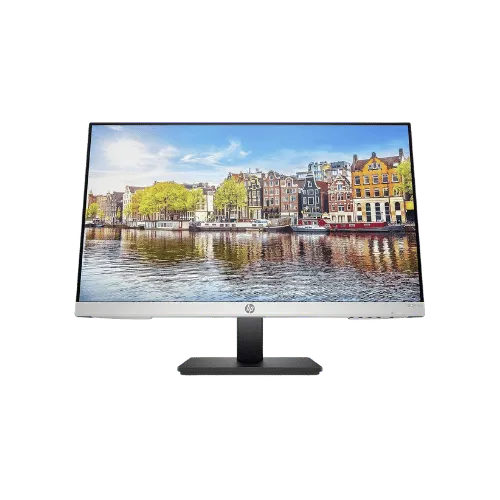
Save Your Neck: The Ultimate Monitor Ergonomics Guide in 2026: ranked by real specs like panel type, refresh rate, and resolution. With its 75Hz refresh rate and fully ergonomic stand, this monitor excels in both performance and comfort. After comparing the specs, you'll see why it's the go-to choice for home office setups, offering a stunning 1920 x 1080 resolution and exceptional color accuracy with 99% sRGB coverage. In real-world use, its ergonomic features, including height, tilt, swivel, and pivot adjustments, make it a no-brainer for anyone concerned about neck and back strain. Use the buttons above to check current prices and availability.
How We Pick These Products
PageBen prioritizes usefulness for US shoppers. Affiliate commission does not decide recommendations, rankings, or verdicts.
Sources Checked
Official specifications, Retailer ratings, Manufacturer documentation, Buyer feedback.
Decision Factors
We weigh panel type, resolution, refresh rate, brightness, color coverage, ergonomics, and desk fit.
Editorial Standard
Research-based analysis from documented specs, published lab measurements, and verified-buyer evidence. Any hands-on note is labeled as such. Full methodology.
⚡ Quick Summary
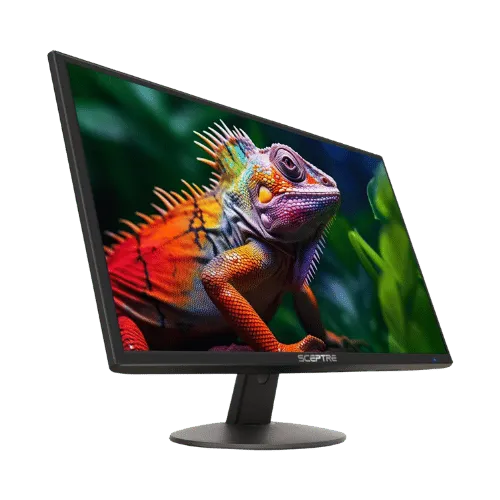
For most monitors buyers in 2026, the HP 24mh 23.8" FHD IPS Monitor offers the best combination of performance and value. The Sceptre E248W-19203R 24" FHD 75Hz Monitor is a strong alternative.
Top picks
As an Amazon Associate I earn from qualifying purchases.
The HP 24mh stands out with its fully ergonomic design and vibrant 75Hz refresh rate, making it perfect for long hours of work. With a 1920 x 1080 resolution and 99% sRGB coverage, you get excellent color accuracy. Its lightweight design at 9.92 lbs also makes it easy to mount. Tap the button to see today's price.
The Sceptre E248W is a great budget option, featuring built-in speakers and a 75Hz refresh rate. With a 250 cd/m² brightness and 95% sRGB coverage, it delivers reliable performance for everyday tasks. However, its limited tilt-only stand may not suit everyone. Tap the button to see today's price.
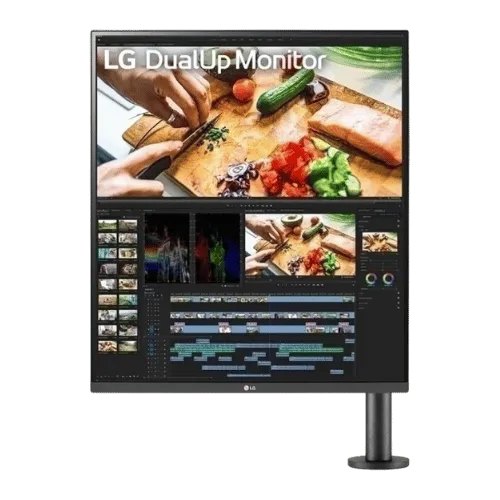
The LG DualUp offers a unique 16:18 aspect ratio, effectively giving you two monitors in one. With a resolution of 2560 x 2880 and 98% DCI-P3 color coverage, it's ideal for creators. However, its 60Hz refresh rate may not satisfy gamers. Tap the button to see today's price.
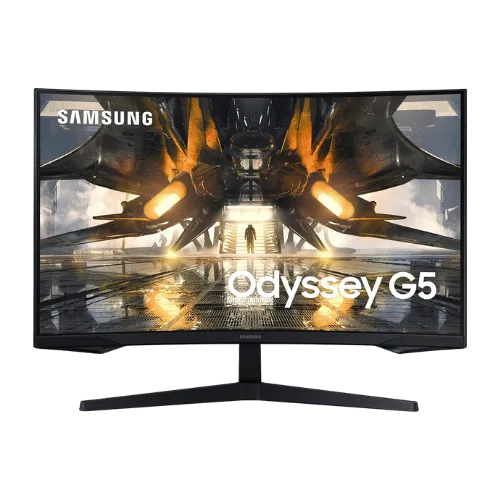
The Samsung Odyssey G55A excels in gaming with its 165Hz refresh rate and 1ms response time, providing a competitive edge. Its 2560 x 1440 resolution delivers sharp visuals. However, its tilt-only stand may not be ideal for every setup. Tap the button to see today's price.
⚖️ Compare Our Top Picks
Can't decide between our recommendations? Check these head-to-head comparisons:
How to decide
VESA compatibility explained (75x75 vs 100x100)
VESA compatibility is crucial when mounting your monitor. The HP 24mh supports a 100 x 100 mm VESA mount, allowing it to be easily attached to various wall mounts or arms. In contrast, the Sceptre E248W has the same VESA standard but lacks adjustable ergonomics, making it less flexible for users wanting to optimize their viewing height. This difference impacts how you can position your monitor, with the 100 x 100 mm option offering broader mounting possibilities.
Why standard stands (like Sceptre's) hurt your posture
Standard stands, such as those on the Sceptre E248W, only allow tilt adjustments, limiting your ability to find the perfect viewing angle. This can lead to poor posture, as the monitor might be too low or too high. The HP 24mh, on the other hand, offers full ergonomic adjustments, including height, pivot, and swivel, which cater to a variety of user preferences. This flexibility can significantly reduce neck strain and enhance comfort during long hours of use.
The benefit of gas-spring arms
Gas-spring arms provide a level of flexibility that's hard to beat. Unlike standard monitor stands, these arms allow for effortless height adjustments and can be repositioned with a simple touch. For example, the LG DualUp monitor features a C-Clamp Ergo Stand that utilizes this technology, providing a height range of 5.5 inches. This means you can easily adjust your monitor to eye level, reducing the risk of neck strain. If you’re looking for ultimate flexibility, gas-spring arms are worth considering.
Weight limits for Ultrawides
When choosing an ultrawide monitor, be aware of the weight limits of your mounting solution. For instance, the Samsung Odyssey G55A is heavier at 12.57 lbs, which may require a sturdier mount. The HP 24mh, weighing in at just 9.92 lbs, is more versatile for various mounts. Always check the weight capacity of your VESA mount to ensure it can handle the monitor's weight, as exceeding this limit can lead to instability or damage.
💡 Expert Tips: Monitors Buying Advice
Beyond our picks, keep these insider tips in mind when shopping for monitors:
Panel type matters: IPS for color work, VA for contrast, OLED for the best of both.
For gaming, prioritize low input lag and variable refresh rate over raw Hz numbers.
4K is overkill under 27 inches—you won't see the extra pixels at normal viewing distances.
Ergonomic adjustments (height, tilt, pivot) are worth paying for if you work long hours.
Frequently Asked Questions
+ Save Your Neck: The Ultimate Monitor Ergonomics Guide in 2026?
The best monitor in 2026 is the HP 24mh 23.8" FHD IPS Monitor, praised for its ergonomic features and 75Hz refresh rate. It offers a resolution of 1920 x 1080, making it perfect for home office setups.
+ Is HP 24mh worth it in 2026?
Absolutely! With its ergonomic adjustments and vibrant 75Hz refresh rate, it's designed for comfort and productivity. Plus, its 99% sRGB color coverage is a game-changer for visual tasks.
+ What should I look for when buying a monitor?
Focus on screen size, resolution, and ergonomics. A 23.8" monitor like the HP 24mh with 1920 x 1080 resolution is a great start for home office use, ensuring comfort and clarity.
Conclusion
For home office users, the HP 24mh is the standout choice in 2026 with its ergonomic design and 75Hz refresh rate. While the Sceptre offers budget options, it lacks the adjustability that the HP provides. That flexibility is what sets the HP apart, making it the go-to for anyone serious about their workspace comfort. Use the buttons above to see live pricing and stock.
Our top recommendation:
Get HP 24mh 23.8"→