
Best Monitors for Creative Professionals
Best Monitors for Creative Professionals in 2026: ranked by real specs like panel type, refresh rate, and resolution. After comparing the specs, this 27" IPS monitor offers a factory-calibrated color accuracy with a Delta E < 2, ensuring your designs look as intended. In real-world use, the 75Hz refresh rate and Adaptive-Sync technology provide a smoother experience compared to standard 60Hz monitors, making it a no-brainer for video editing or graphic design. Use the buttons above to check current prices and availability.
How We Pick These Products
PageBen prioritizes usefulness for US shoppers. Affiliate commission does not decide recommendations, rankings, or verdicts.
Sources Checked
Official specifications, Retailer ratings, Manufacturer documentation, Buyer feedback.
Decision Factors
We weigh panel type, resolution, refresh rate, brightness, color coverage, ergonomics, and desk fit.
Editorial Standard
Research-based analysis from documented specs, published lab measurements, and verified-buyer evidence. Any hands-on note is labeled as such. Full methodology.
⚡ Quick Summary
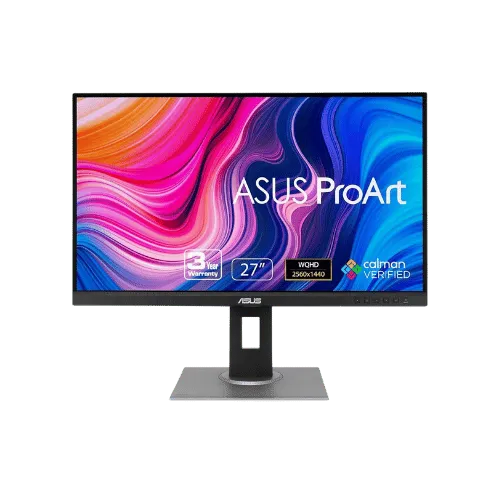
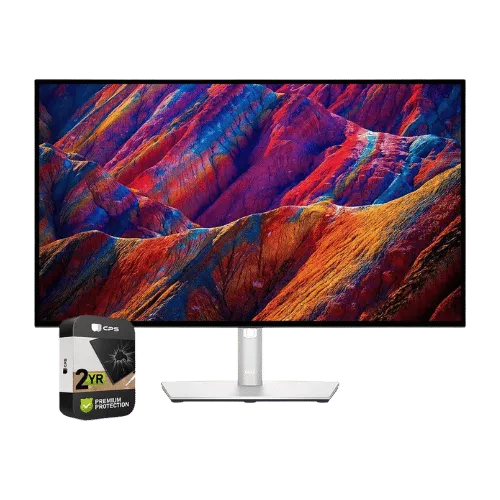
For most monitors buyers in 2026, the ASUS ProArt Display PA278QV 27" WQHD Monitor offers the best combination of performance and value. The Dell UltraSharp U2723QE 27" 4K USB-C Hub Monitor is a strong alternative.
Top picks
2 picksAs an Amazon Associate I earn from qualifying purchases.
The ASUS ProArt Display PA278QV is perfect for creative professionals seeking outstanding color accuracy right out of the box, with a Delta E < 2 rating. Its 2560 x 1440 resolution offers ample detail for design work, while the 75Hz refresh rate makes for a smoother visual experience. Tap the button to see today's price.
The Dell UltraSharp U2723QE stands out with its stunning 4K resolution and versatile USB-C hub capabilities, delivering 90W charging and a built-in KVM switch. With a 2,000:1 contrast ratio, it produces deeper blacks, ideal for detailed editing tasks. Tap the button to check the latest price.
How to decide
Resolution and Color Accuracy
The ASUS ProArt Display PA278QV features a WQHD resolution of 2560 x 1440, while the Dell UltraSharp U2723QE ups the ante with 4K UHD at 3840 x 2160. This means the Dell offers 1.5 times the pixel density, perfect for detailed photo editing and video work. In terms of color accuracy, both monitors cover 100% of the sRGB and Rec. 709 color gamuts, but the Dell’s 98% DCI-P3 coverage is a game-changer for professional creatives looking for vivid colors. A 350 nits brightness for the ASUS vs 400 nits for the Dell means brighter visuals, especially in well-lit environments.
Connectivity and Ergonomics
When it comes to connectivity, the Dell UltraSharp U2723QE is a powerhouse with USB-C providing 90W charging, Ethernet, and KVM support, making it ideal for a clutter-free workstation. The ASUS ProArt, while lacking USB-C, offers extensive legacy ports like Dual-Link DVI-D and Mini DisplayPort, catering to older devices. Ergonomically, both monitors feature height adjustment up to 150mm, but the Dell’s built-in KVM allows you to switch between two PCs seamlessly, which is a huge advantage for multitasking. The weight difference is notable too, with the Dell at 14.64 lb versus the ASUS at 17.02 lb, making the Dell easier to reposition.
💡 Expert Tips: Monitors Buying Advice
Beyond our picks, keep these insider tips in mind when shopping for monitors:
Panel type matters: IPS for color work, VA for contrast, OLED for the best of both.
For gaming, prioritize low input lag and variable refresh rate over raw Hz numbers.
4K is overkill under 27 inches—you won't see the extra pixels at normal viewing distances.
Ergonomic adjustments (height, tilt, pivot) are worth paying for if you work long hours.
Frequently Asked Questions
+ Best Monitors for Creative Professionals in 2026?
The best monitors for creative professionals in 2026 are the ASUS ProArt Display PA278QV and the Dell UltraSharp U2723QE. The ASUS offers superior color accuracy with its 2560 x 1440 resolution, while the Dell provides a stunning 4K experience.
+ Is ASUS ProArt Display PA278QV worth it in 2026?
Absolutely! With its WQHD resolution and Delta E < 2 color accuracy, it’s a worthy investment for creatives. The 75Hz refresh rate also enhances your workflow, making it a smart buy.
+ What should I look for when buying a monitor?
Look for resolution, color accuracy, and connectivity options. A minimum of 2560 x 1440 resolution is great for most creative work, while color accuracy metrics like Delta E help ensure your designs are true to life.
Conclusion
For creative professionals, the ASUS ProArt Display PA278QV is a standout choice thanks to its impressive color accuracy and WQHD resolution. The Dell UltraSharp U2723QE offers a 4K experience but comes at a higher price. Ultimately, the ASUS is the go-to for those needing precise colors without breaking the bank. Use the buttons above to see live pricing and stock.
Our top recommendation:
Get ASUS ProArt Display→