
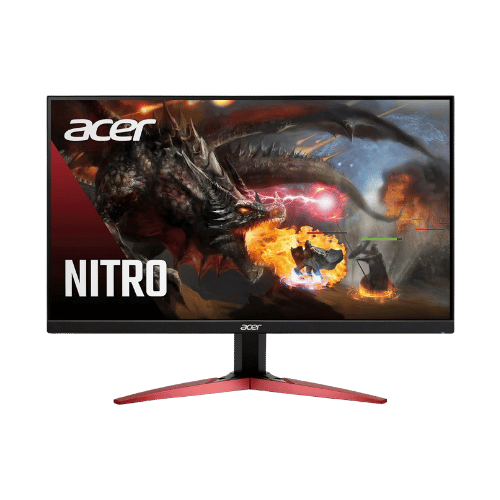
Is the Acer Nitro KF240Y bmiipx 23.8" FHD Monitor Worth It in 2026?
Quick Verdict:
Yes—the 165Hz refresh rate and IPS panel make it a no-brainer for gamers on a budget.
How This Verdict Was Reached
PageBen prioritizes usefulness for US shoppers. Affiliate commission does not decide recommendations, rankings, or verdicts.
Sources Checked
Official specifications, Retailer ratings, Manufacturer documentation, PageBen research.
Decision Factors
We weigh panel type, resolution, refresh rate, brightness, color coverage, ergonomics, and desk fit.
Editorial Standard
Research-based analysis from documented specs, published lab measurements, and verified-buyer evidence. Any hands-on note is labeled as such. Full methodology.
Is Acer Nitro KF240Y bmiipx 23.8" FHD Monitor worth it? Yes, thanks to its 165Hz refresh rate and an IPS panel that ensures vibrant colors. It's perfect for gamers who want smooth visuals without breaking the bank. However, if you're seeking extensive ergonomic options or high-end HDR, you might want to look elsewhere.
Is the Price Justified?
The Acer Nitro KF240Y offers impressive value with its 165Hz refresh rate, especially for competitive gaming. In 2026, many similar monitors in the budget range offer refresh rates around 144Hz, but few can overclock to 165Hz, making this a standout for fast-paced gaming at a reasonable price. The average cost per refresh rate here is great, providing plenty of speed for your dollar. At a weight of 10.87 lbs, it's easy to set up multiple monitors with the ZeroFrame design. This is a significant advantage for gamers or multitaskers wanting a seamless multi-monitor experience. The thin bezels allow for nearly uninterrupted visuals, justifying your investment if you're into immersive gaming. The 99% sRGB color gamut ensures colors pop, whether you’re gaming or watching movies. In a market where color accuracy is often sacrificed for speed, this monitor strikes a balance, making it a smarter buy for creative work too. You’re getting vibrant visuals without the premium price tag. Moreover, with AMD FreeSync Premium, screen tearing is minimized, enhancing the gaming experience. This feature is a must-have for gamers and worth its weight in gold, considering many budget monitors don't include adaptive sync options. This added performance makes the price feel justified, especially against competitors lacking this feature.
3 Reasons to Buy
1. High Refresh Rate for Gaming
The 165Hz refresh rate is a game changer for competitive gamers. It allows for incredibly smooth motion during gameplay, especially in fast-paced titles, giving you an edge over your competition. This is particularly valuable in games where every millisecond counts, making it a top reason to consider this monitor. Additionally, the overclocking capability means you can push the refresh rate even further for an ultra-smooth experience. In 2026, this feature is hard to find at this price point, making the Acer Nitro KF240Y a smart investment for gamers looking to maximize performance without overspending.
2. Vibrant Color Accuracy
With 99% sRGB color gamut, this monitor ensures that colors are true-to-life, which is essential for both gaming and creative work. If you're editing photos or videos, having a monitor that accurately displays colors can significantly impact your workflow. This level of color accuracy is typically found in higher-priced monitors, making the Nitro KF240Y stand out in the budget category. The IPS panel also provides consistent colors and wide viewing angles, so if you're gaming with friends or showing off your work, everyone gets to experience the same vibrant visuals. This is a critical feature for anyone who values aesthetics and accuracy in their display.
3. Affordable with Essential Features
The Nitro KF240Y includes AMD FreeSync Premium, a feature that is essential for eliminating screen tearing. This capability is often absent in budget monitors, making it a standout choice if you want smooth gameplay without distractions. It's a feature that elevates your gaming experience without adding to the cost, providing strong value for money. Moreover, the built-in speakers and multiple connectivity options mean you won't have to invest in extra peripherals right away. This makes it an appealing option for gamers who want a complete setup without breaking the bank.
Reasons to Skip It
Limited Ergonomics
The stand only offers tilt adjustments, which may be a deal breaker for those who prefer customizable viewing angles. If you're used to monitors that allow height and swivel adjustments, you might find this limitation frustrating. It's especially impactful for users who spend long hours at their desks, as proper ergonomics are crucial for comfort and health. This limitation could lead to discomfort over extended use, particularly if your desk height doesn't match the monitor's fixed position. If you're serious about ergonomic setups, this monitor is likely not for you.
Mediocre HDR Performance
While the monitor does support HDR10, its performance is entry-level without local dimming. This means HDR content won't look as vibrant or dynamic compared to higher-end models. If you're a gamer or a movie enthusiast who values HDR visuals, you might find this monitor lacking. This limitation affects users who are looking for an immersive experience with rich, detailed visuals. If HDR performance is a priority, you'll be better off investing in a monitor that offers superior HDR capabilities.
Technical Analysis
Key Specs at a Glance
The 23.8-inch IPS panel provides wide viewing angles at 178°, making it suitable for group gaming or movie nights. IPS technology delivers consistent colors, so no matter where you sit, you’re getting the same vibrant visuals. This is critical for creative work and casual gaming alike. With a response time of 0.5ms, the monitor is fast enough for competitive play, but keep in mind that achieving this requires aggressive overdrive settings. In practical terms, while you can get that fast response, it may come at the cost of some overshoot, which could affect clarity during intense action scenes. The 250 nits brightness is average for budget monitors, making it suitable for dimly lit rooms but potentially lacking in bright environments. If you're gaming in a sunlit room, you might find the visibility lacking compared to higher-end models that deliver brighter screens. The HDR10 support is entry-level, meaning while it can handle HDR content, you won’t get the full effect without local dimming features. This might disappoint hardcore gamers or movie enthusiasts looking for the ultimate visual experience, as it doesn't stand out against monitors that offer better HDR capabilities. Lastly, the 2x HDMI 2.0 ports and a DisplayPort 1.2 ensure compatibility with most devices, making it versatile for various setups. This is a big plus if you plan to use it with different gaming consoles or a PC, providing additional connectivity options without needing to juggle cables.
Who Is This For?
The Acer Nitro KF240Y is best suited for gamers on a budget who want high performance without the high price. With its 165Hz refresh rate and AMD FreeSync Premium, it's tailored for fast-paced gaming, making it a smart buy for competitive players who prioritize smoothness and responsiveness. Not ideal for professionals who need extensive ergonomic adjustments or advanced HDR capabilities. If you're a creative professional or a dedicated movie buff who demands top-tier visual quality, this monitor's limitations in those areas mean you should explore higher-end options for a more fulfilling experience.
How It Stacks Up Against Alternatives
Competes in the budget segment alongside 9 other options.
Direct Competitors:
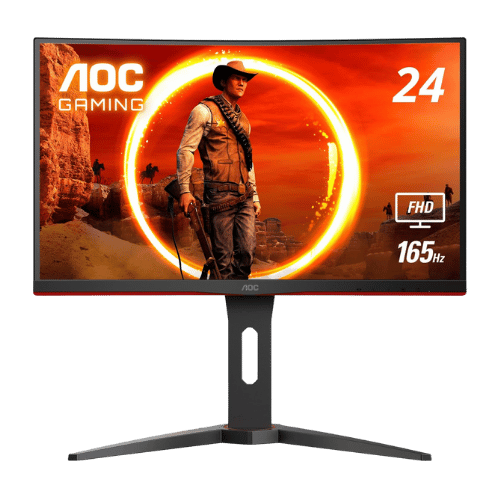
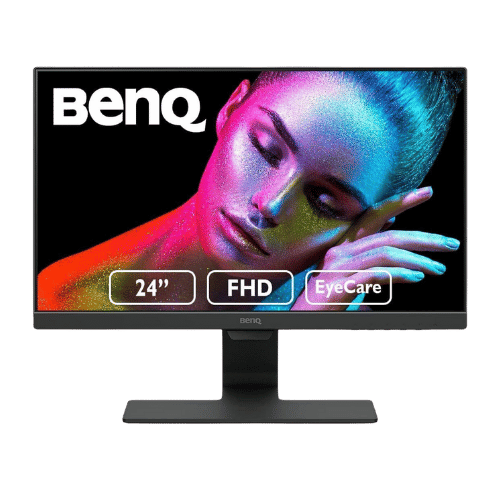
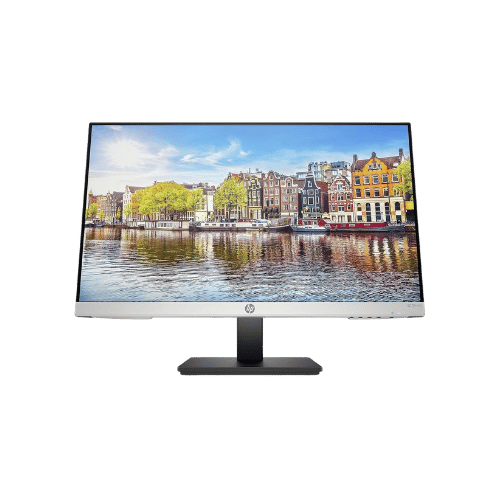
Worth the Upgrade? Premium Alternatives:
What to Expect Long-Term
Beyond the initial purchase, here's what to consider about owning the Acer Nitro KF240Y bmiipx 23.8" FHD Monitor:
Durability
Monitor panels last 7-10+ years. Backlight dimming is gradual and rarely an issue.
Support & Warranty
Most monitors have 3-year warranties. Dead pixel policies vary by manufacturer.
Upgrade Path
Monitor technology evolves slowly. 4K, high refresh rates, and HDR are current standards.
Resale Value
Monitors retain 30-50% value after 2-3 years. Gaming monitors with high refresh rates hold value better.
Final Decision: Should You Buy It?
✓ Buy if:
- You want a budget-friendly monitor with a high refresh rate for gaming.
- You need wide viewing angles and color accuracy for creative work.
- You're looking for a complete setup with built-in speakers and multiple connectivity options.
✗ Skip if:
- You need extensive ergonomic adjustments for comfort.
- You prioritize high-end HDR performance for immersive gaming or movies.
The Acer Nitro KF240Y bmiipx 23.8" FHD Monitor earns its price tag. That 165Hz refresh rate alone makes it worth it for budget gamers and casual users alike.
PageBen recommends this monitor for anyone looking to balance cost and performance, especially with its 99% sRGB color gamut providing vibrant visuals. You won't find a better deal in this price range.
Quick Questions
+ Is the Acer Nitro KF240Y bmiipx 23.8" FHD Monitor worth buying in 2026?
Yes—the 165Hz refresh rate and IPS panel make it a no-brainer for gamers on a budget.
+ What are the main pros of Acer Nitro KF240Y bmiipx 23.8" FHD Monitor?
Key advantages: IPS panel ensures consistent colors and wide viewing angles ideal for mixed use; 165Hz overclockable refresh rate provides smooth motion for competitive gaming; AMD FreeSync Premium support eliminates tearing and stuttering. These make it a strong choice in the monitors market.
+ What are the downsides of Acer Nitro KF240Y bmiipx 23.8" FHD Monitor?
Main considerations: Stand lacks height, swivel, and pivot adjustments (Tilt only); Peak brightness (250 nits) is standard and may struggle in bright rooms; HDR support is entry-level (HDR10) with no local dimming. Consider whether these affect your specific use case.
+ How long will the Acer Nitro KF240Y bmiipx 23.8" FHD Monitor last?
Monitor panels last 7-10+ years. Backlight dimming is gradual and rarely an issue.
+ What warranty does Acer Nitro KF240Y bmiipx 23.8" FHD Monitor come with?
Most monitors have 3-year warranties. Dead pixel policies vary by manufacturer.
+ How does Acer Nitro KF240Y bmiipx 23.8" FHD Monitor compare to alternatives?
Competes in the budget segment alongside 9 other options. Direct competitors include AOC C24G1A 23.6" Curved FHD 165Hz Gaming Monitor, BenQ GW2480 23.8" FHD IPS Eye-Care Monitor, HP 24mh 23.8" FHD IPS Monitor. Check our detailed comparison pages for head-to-head analysis.
+ Where can US buyers get Acer Nitro KF240Y bmiipx 23.8" FHD Monitor?
For US buyers, Amazon offers competitive pricing, fast Prime shipping, easy returns, and reliable warranty support. Use our link above to check current availability and pricing—prices can fluctuate frequently.