
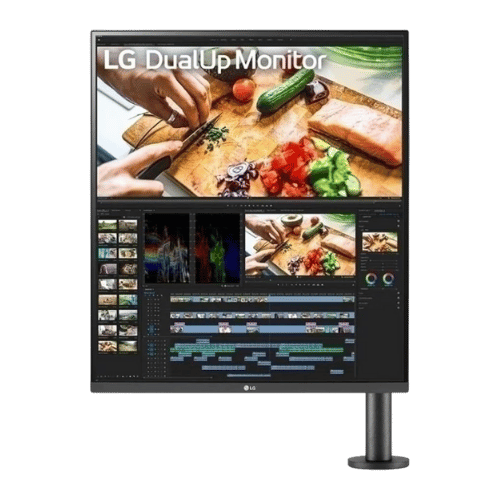
Is the LG DualUp 28MQ780-B 27.6" 16:18 Ergo Monitor Worth It in 2026?
Quick Verdict:
Yes—the 27.6" 16:18 aspect ratio maximizes vertical workspace, making it a smart buy for creators.
How This Verdict Was Reached
PageBen prioritizes usefulness for US shoppers. Affiliate commission does not decide recommendations, rankings, or verdicts.
Sources Checked
Official specifications, Retailer ratings, Manufacturer documentation, PageBen research.
Decision Factors
We weigh panel type, resolution, refresh rate, brightness, color coverage, ergonomics, and desk fit.
Editorial Standard
Research-based analysis from documented specs, published lab measurements, and verified-buyer evidence. Any hands-on note is labeled as such. Full methodology.
Is LG DualUp 28MQ780-B 27.6" 16:18 Ergo Monitor worth it? Yes, given its unique 16:18 aspect ratio that effectively doubles your vertical screen space without a bezel gap. This monitor is perfect for professionals who thrive on multitasking. If you're a gamer, however, you might want to skip this one due to its limitations.
Is the Price Justified?
At a flagship price point, the LG DualUp 28MQ780-B offers impressive specs for professionals. The 27.6" screen combined with a 2560 x 2880 resolution delivers a workspace comparable to two 21.5" QHD displays, which is ideal for tasks requiring multiple windows. This unique design can significantly boost productivity, making the investment worthwhile for those who need that extra screen real estate. The Nano IPS panel covering 98% DCI-P3 ensures color accuracy, making it an strong fit for graphic designers and content creators. If you frequently work with color-critical applications, this monitor's color depth of 1.07 billion colors will enhance your workflow and output quality. Additionally, the 90W USB-C power delivery means you can charge your laptop while using the monitor, reducing cable clutter and improving your desk's organization. Given the convenience of powering a laptop and transferring data simultaneously, this feature justifies a higher price tag for many users. However, it's important to consider that the 60Hz refresh rate and lack of adaptive sync make it less suitable for gaming. If you're primarily a gamer, you'd likely be better served by a monitor with higher refresh rates and better response times. Overall, for productivity and creative work, the investment is justified.
3 Reasons to Buy
1. Maximized Vertical Workspace
The 16:18 aspect ratio of the LG DualUp 28MQ780-B is innovative for anyone who needs more vertical screen space. With this configuration, you effectively get the benefits of two 21.5-inch QHD displays stacked on top of each other. This unique layout is perfect for tasks like code editing, document review, and graphic design, where having more vertical real estate can boost productivity and reduce scrolling time. For professionals like writers, developers, and designers, the ability to view multiple documents or applications side-by-side without the annoying bezel gap can enhance workflow significantly. You'll find yourself more organized, with less need to toggle between windows, making it a worthwhile investment.
2. Exceptional Color Accuracy
With a color gamut covering 98% DCI-P3, the LG DualUp monitor is an impressive choice for creatives who rely on accurate color representation. This is especially important for graphic designers and photographers who need to ensure their work looks the same across different devices. The 1.07 billion colors offered by the monitor allow for nuanced color gradations, which are crucial for high-quality visuals. This level of color precision not only improves the quality of work but also provides peace of mind, knowing that your designs will appear as intended when printed or displayed on various media. If you're serious about your craft, this monitor delivers exceptional value in color performance.
3. Versatile Connectivity Options
The inclusion of 90W USB-C power delivery is a game changer, especially for professionals using laptops like MacBook Pros. You can charge your device while transferring data and video simultaneously, which significantly reduces desk clutter and simplifies your setup. This functionality is particularly advantageous for mobile professionals who work on the go. Furthermore, the monitor features multiple ports including 2x HDMI 2.0 and 1x DisplayPort 1.4, ensuring compatibility with various devices. This versatility allows for smooth integration into any workspace, making it a smart investment for those who need flexibility in their connectivity.
Reasons to Skip It
Limited Gaming Performance
If you're a gamer, the LG DualUp 28MQ780-B may not meet your needs due to its 60Hz refresh rate and lack of adaptive sync support. This makes it unsuitable for fast-paced gaming, where higher refresh rates and lower response times can significantly enhance the experience. You might find the performance lacking during action-packed gameplay, which could lead to frustration. The monitor's 5ms response time is also slower compared to gaming-focused displays, which can result in motion blur during quick movements. For serious gamers, it's best to look for options designed specifically for gaming to ensure the best experience.
Setup Challenges
Setting up the LG DualUp can be cumbersome due to its weight of 19.8 lbs, which requires a sturdy desk edge for the C-Clamp mount. If your workspace isn't equipped to handle this, you might face challenges during installation. This could deter users who prefer a simpler setup process. Additionally, the unconventional 16:18 aspect ratio may necessitate scaling adjustments in operating systems like macOS and Windows, which can be a hassle for users not comfortable with technical configurations. If you're looking for a plug-and-play experience, you might want to consider more traditional monitor formats.
Technical Analysis
Key Specs at a Glance
The 27.6" screen size is unique in the market, providing a vertical workspace that helps reduce the need for multiple displays. This aspect ratio of 16:18 is particularly beneficial for reading long documents or coding, where vertical space is more advantageous than horizontal. The 2560 x 2880 resolution ensures sharp text and images, making it ideal for professionals who need clarity in their work. This resolution is significantly higher than standard 1080p monitors, providing a much more detailed viewing experience. The Nano IPS panel technology offers wide viewing angles of 178°, ensuring consistent color and brightness even when viewed from the side. This is crucial for collaborative work where multiple people view the screen at once. The Ergo Stand adds value with its adjustability, allowing for height adjustments of up to 5.1 inches and tilt capabilities. This ergonomic flexibility helps create a comfortable working environment, which is essential for long hours of use. The built-in KVM feature allows you to control two computers simultaneously, which can streamline workflows for users who need to switch between systems frequently. This functionality, combined with Picture-by-Picture (PBP), enhances productivity without needing additional peripherals.
Who Is This For?
This monitor is best for content creators, graphic designers, and multitaskers who thrive on having multiple applications visible at once. The Nano IPS panel and 98% DCI-P3 color coverage make it a top pick for professionals who need precise color accuracy and detail in their work. On the other hand, casual gamers and everyday users might find the 60Hz refresh rate and heavy setup a barrier. If you primarily use your monitor for gaming or simple tasks, consider looking at alternatives that offer better performance for those specific needs.
How It Stacks Up Against Alternatives
Leads the premium flagship segment with the highest rating among 7 competing products.
Direct Competitors:
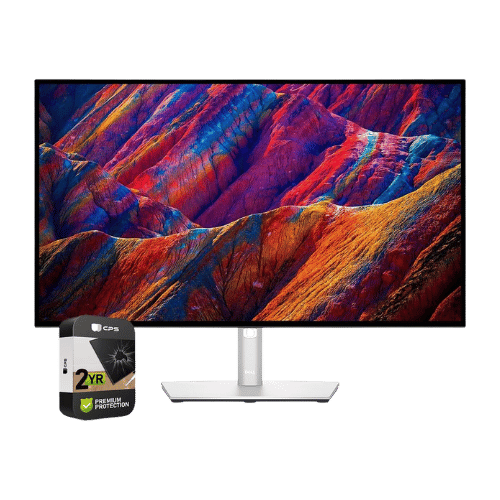
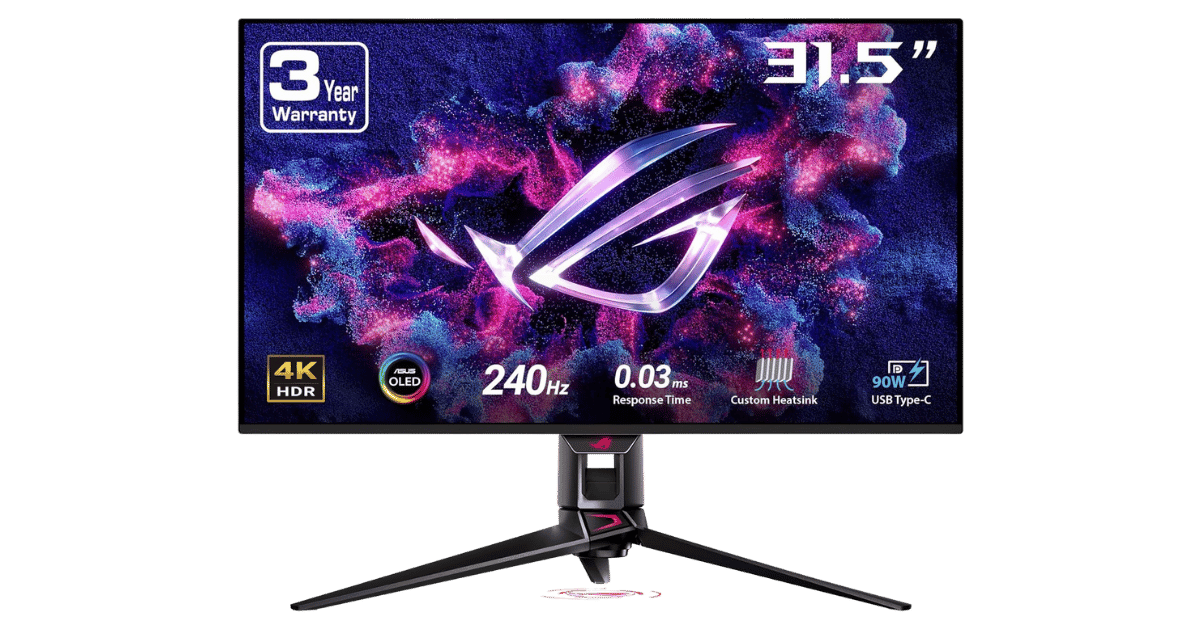
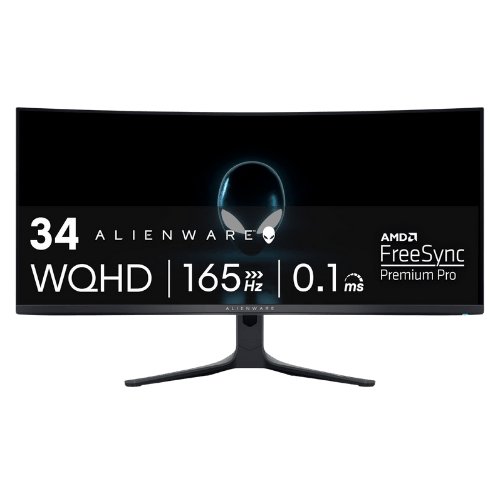
On a Budget? Consider These:
What to Expect Long-Term
Beyond the initial purchase, here's what to consider about owning the LG DualUp 28MQ780-B 27.6" 16:18 Ergo Monitor:
Durability
Monitor panels last 7-10+ years. Backlight dimming is gradual and rarely an issue.
Support & Warranty
Most monitors have 3-year warranties. Dead pixel policies vary by manufacturer.
Upgrade Path
Monitor technology evolves slowly. 4K, high refresh rates, and HDR are current standards.
Resale Value
Monitors retain 30-50% value after 2-3 years. Gaming monitors with high refresh rates hold value better.
Final Decision: Should You Buy It?
✓ Buy if:
- You need a monitor for multitasking with two windows or applications side-by-side.
- You're a creative professional who requires accurate color representation.
- You want a monitor that can power your laptop while providing a robust display.
✗ Skip if:
- You're looking for a gaming monitor with high refresh rates.
- You want an easy setup without the need for adjustments.
The LG DualUp 28MQ780-B 27.6" 16:18 Ergo Monitor earns its price tag. That unique aspect ratio alone makes it worth it for content creators and multitaskers who need that extra vertical space. For those who prioritize gaming or casual use, you might find better alternatives in the current market. PageBen recommends it for serious professionals looking to enhance their productivity with a premium display.
Quick Questions
+ Is the LG DualUp 28MQ780-B 27.6" 16:18 Ergo Monitor worth buying in 2026?
Yes—the 27.6" 16:18 aspect ratio maximizes vertical workspace, making it a smart buy for creators.
+ What are the main pros of LG DualUp 28MQ780-B 27.6" 16:18 Ergo Monitor?
Key advantages: Unique 16:18 aspect ratio provides the vertical workspace of two 21.5-inch monitors without the bezel gap; Nano IPS panel covers 98% DCI-P3, offering professional-grade color accuracy for creators; Included Ergo Stand allows for extreme flexibility and frees up desk space (C-Clamp mount). These make it a strong choice in the monitors market.
+ What are the downsides of LG DualUp 28MQ780-B 27.6" 16:18 Ergo Monitor?
Main considerations: Strictly limited to 60Hz with no VRR, making it poor for gaming; Unconventional aspect ratio (2560x2880) may require scaling tweaks in macOS/Windows; Setup is heavy and requires a sturdy desk edge for the C-Clamp. Consider whether these affect your specific use case.
+ How long will the LG DualUp 28MQ780-B 27.6" 16:18 Ergo Monitor last?
Monitor panels last 7-10+ years. Backlight dimming is gradual and rarely an issue.
+ What warranty does LG DualUp 28MQ780-B 27.6" 16:18 Ergo Monitor come with?
Most monitors have 3-year warranties. Dead pixel policies vary by manufacturer.
+ How does LG DualUp 28MQ780-B 27.6" 16:18 Ergo Monitor compare to alternatives?
Leads the premium flagship segment with the highest rating among 7 competing products. Direct competitors include Dell UltraSharp U2723QE 27" 4K USB-C Hub Monitor, ASUS ROG Swift OLED PG32UCDM 32" 4K 240Hz QD-OLED Gaming Monitor, Alienware AW3423DWF 34" QD-OLED Curved Gaming Monitor. Check our detailed comparison pages for head-to-head analysis.
+ Where can US buyers get LG DualUp 28MQ780-B 27.6" 16:18 Ergo Monitor?
For US buyers, Amazon offers competitive pricing, fast Prime shipping, easy returns, and reliable warranty support. Use our link above to check current availability and pricing—prices can fluctuate frequently.