
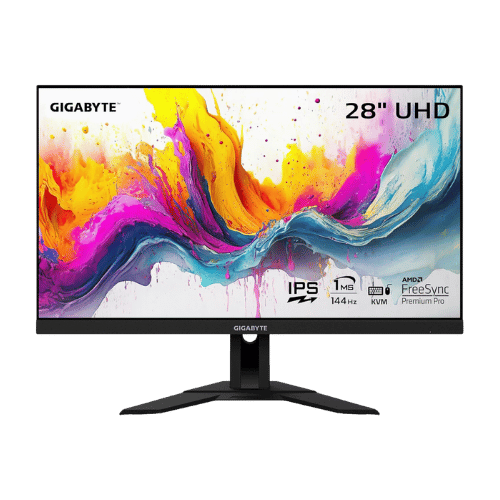
Is the GIGABYTE M28U 28" 4K 144Hz KVM Gaming Monitor Worth It in 2026?
Quick Verdict:
Yes—the 28" size and 4K 144Hz refresh rate deliver exceptional gaming performance.
How This Verdict Was Reached
PageBen prioritizes usefulness for US shoppers. Affiliate commission does not decide recommendations, rankings, or verdicts.
Sources Checked
Official specifications, Retailer ratings, Manufacturer documentation, PageBen research.
Decision Factors
We weigh panel type, resolution, refresh rate, brightness, color coverage, ergonomics, and desk fit.
Editorial Standard
Research-based analysis from documented specs, published lab measurements, and verified-buyer evidence. Any hands-on note is labeled as such. Full methodology.
Is GIGABYTE M28U 28" 4K 144Hz KVM Gaming Monitor worth it? Yes, with its 144Hz refresh rate and 4K resolution, you're getting a powerful gaming experience at a reasonable price. It's an ideal choice for competitive gamers and console players alike. If you're looking for a top-tier monitor without breaking the bank, this is a reliable pick.
Is the Price Justified?
The GIGABYTE M28U positions itself well in the mid-range market, especially for its 144Hz refresh rate at 4K resolution. This is a rare combination, making it a great investment for gamers who want smooth, high-definition visuals. For under $600, you're getting a monitor that can handle both PC and console gaming flawlessly, particularly with its HDMI 2.1 support for next-gen consoles. When you consider the built-in KVM switch, this monitor stands out for multi-device users. It allows you to control your PC and laptop with one set of peripherals, saving space and reducing clutter. This feature alone provides significant value for anyone with a dual-device setup. The SS IPS panel offers a 1ms response time, ensuring you won't miss a beat in fast-paced games. This is particularly appealing for competitive gamers who need every millisecond for their performance. The sharpness of the 3840 x 2160 resolution also enhances productivity for users who engage in creative tasks or detailed work. However, the average contrast ratio of 1,000:1 is a slight drawback, making it less ideal for dark-room gaming compared to competitors with better contrast. Still, for casual gamers and those who play in well-lit spaces, this isn't a dealbreaker. You’re getting plenty of value for what you pay, even if it falls short in some areas compared to higher-end models.
3 Reasons to Buy
1. High Refresh Rate and Resolution
The 144Hz refresh rate at 4K resolution makes this monitor an impressive option for gamers. With high refresh rates, you'll experience smoother motion and reduced input lag, crucial for competitive play. This performance is hard to find in this price range, making it a strong contender against pricier models. Additionally, the 28" size strikes a balance between immersion and desk space. Whether you’re gaming or working, the sharp visuals and fluid performance will keep you engaged without overwhelming your workspace.
2. Built-in KVM Switch
The built-in KVM switch is a game changer for users juggling multiple devices. You can control a PC and a laptop with a single keyboard and mouse, making it ideal for productivity setups. This feature not only saves space but also enhances convenience, especially for professionals who need to switch between devices frequently. For gamers who also work from home, this dual functionality is a huge plus. You can seamlessly transition from gaming to productivity without the hassle of extra peripherals, maximizing your efficiency.
3. Super Speed IPS Panel
The SS IPS panel offers a 1ms response time with wide viewing angles, ensuring that you have a clear and vibrant picture from any position. This is particularly beneficial for multiplayer gaming where viewing angles can make a difference in visibility. You won’t miss any detail, whether you’re sitting directly in front of the monitor or off to the side. Additionally, the 94% DCI-P3 color gamut ensures that colors are vibrant and accurate, making this monitor suitable for creative work as well. If you’re into graphic design or content creation, the color performance is a significant advantage.
Reasons to Skip It
Average Contrast Ratio
The contrast ratio of 1,000:1 can be a letdown for users gaming in darker rooms. This means blacks may appear grayish, which diminishes the immersive experience in titles that rely on darker visuals. Gamers who prioritize deep blacks and vivid colors may want to look elsewhere for better contrast performance. If you often play horror or dark-themed games, this limitation could impact your overall enjoyment. For those who play primarily in well-lit areas, it may not be a significant issue, but it's worth considering.
Limited HDR Performance
The DisplayHDR 400 rating indicates that HDR performance is minimal, lacking local dimming capabilities. This won't satisfy users looking for high-end HDR experiences, as you'll miss out on the vibrant highlights and deep shadows that better HDR monitors provide. If you're a serious gamer or movie buff who values HDR, this could be a major drawback. Users who primarily play casual games or watch content in well-lit environments might overlook this, but for those who seek the best visual clarity and depth, this monitor may fall short.
Technical Analysis
Key Specs at a Glance
The 28" screen size is a sweet spot for immersion without overwhelming your desk space. At 157 PPI, text and images appear crisp, enhancing both gaming and general use. This pixel density ensures that even the tiniest details in games or videos are sharp and vivid, which is crucial for high-resolution content. With HDMI 2.1 ports, the M28U supports 4K gaming at 120Hz, making it future-proof for next-gen consoles like the PS5 and Xbox Series X. This feature allows you to enjoy smooth gameplay without sacrificing image quality, a significant advantage over monitors lacking this capability. The 1ms GtG response time is another standout spec, minimizing motion blur during fast action. This is essential for competitive gaming where every frame counts. You’ll appreciate the fluidity it brings to high-paced games, making gameplay feel more responsive. On the downside, the HDR performance is limited, rated at DisplayHDR 400. This means you won't get the deep blacks and vibrant colors that higher HDR ratings offer, impacting your experience in darker environments. While HDR isn't a dealbreaker for many, serious gamers looking for the best visuals may want to consider this limitation. Lastly, the 15W USB-C power delivery is insufficient for charging most laptops, which could be a hassle for users wanting a single-cable solution for all their devices. This compromises the KVM switch's convenience, so be aware of what devices you'll be connecting to this monitor.
Who Is This For?
Best for gamers seeking high-refresh-rate performance without overspending. The 28" screen with 4K resolution is perfect for competitive gaming and general use. If you're someone who frequently uses multiple devices, the KVM switch will enhance your setup significantly. Not ideal for those who prioritize HDR gaming or work in dark environments where contrast matters. If you often play visually dark games or rely on HDR for cinematic experiences, consider looking at options with better contrast and HDR capabilities.
How It Stacks Up Against Alternatives
Leads the mid-range segment with the highest rating among 8 competing products.
Direct Competitors:
What to Expect Long-Term
Beyond the initial purchase, here's what to consider about owning the GIGABYTE M28U 28" 4K 144Hz KVM Gaming Monitor:
Durability
Monitor panels last 7-10+ years. Backlight dimming is gradual and rarely an issue.
Support & Warranty
Most monitors have 3-year warranties. Dead pixel policies vary by manufacturer.
Upgrade Path
Monitor technology evolves slowly. 4K, high refresh rates, and HDR are current standards.
Resale Value
Monitors retain 30-50% value after 2-3 years. Gaming monitors with high refresh rates hold value better.
Final Decision: Should You Buy It?
✓ Buy if:
- You need a **high-refresh-rate monitor for competitive gaming**.
- You want the convenience of a built-in KVM switch for multiple devices.
- You're looking for a **sharp 4K display** that balances gaming and productivity.
✗ Skip if:
- You prioritize **high-end HDR performance** for immersive gaming.
- You often play in dark rooms where contrast is crucial.
The GIGABYTE M28U 28" 4K 144Hz KVM Gaming Monitor earns its price tag. That 144Hz refresh rate alone makes it worth it for competitive gamers and multitaskers alike. PageBen recommends this monitor for those who want top-tier performance without the top-tier price. With HDMI 2.1 and 1ms response time, it’s a deal that’s hard to beat for serious gamers looking to level up.
Quick Questions
+ Is the GIGABYTE M28U 28" 4K 144Hz KVM Gaming Monitor worth buying in 2026?
Yes—the 28" size and 4K 144Hz refresh rate deliver exceptional gaming performance.
+ What are the main pros of GIGABYTE M28U 28" 4K 144Hz KVM Gaming Monitor?
Key advantages: HDMI 2.1 ports support 4K @ 120Hz for PS5 and Xbox Series X (utilizing DSC or chroma subsampling due to 24Gbps bandwidth); Built-in KVM switch allows controlling two devices (e.g., PC and Laptop) with one keyboard/mouse; Super Speed IPS panel delivers low 1ms response time with wide viewing angles. These make it a strong choice in the monitors market.
+ What are the downsides of GIGABYTE M28U 28" 4K 144Hz KVM Gaming Monitor?
Main considerations: USB-C power delivery is limited to 15W/18W, which is insufficient to charge most laptops; HDMI 2.1 bandwidth is capped at 24Gbps (relies on DSC for full 4K 144Hz 4:4:4); Stand lacks Swivel and Pivot adjustments. Consider whether these affect your specific use case.
+ How long will the GIGABYTE M28U 28" 4K 144Hz KVM Gaming Monitor last?
Monitor panels last 7-10+ years. Backlight dimming is gradual and rarely an issue.
+ What warranty does GIGABYTE M28U 28" 4K 144Hz KVM Gaming Monitor come with?
Most monitors have 3-year warranties. Dead pixel policies vary by manufacturer.
+ How does GIGABYTE M28U 28" 4K 144Hz KVM Gaming Monitor compare to alternatives?
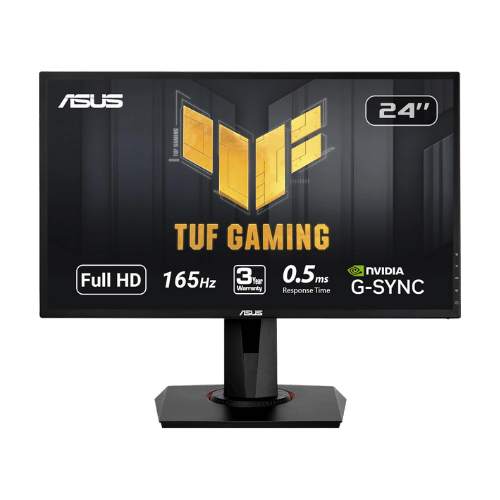
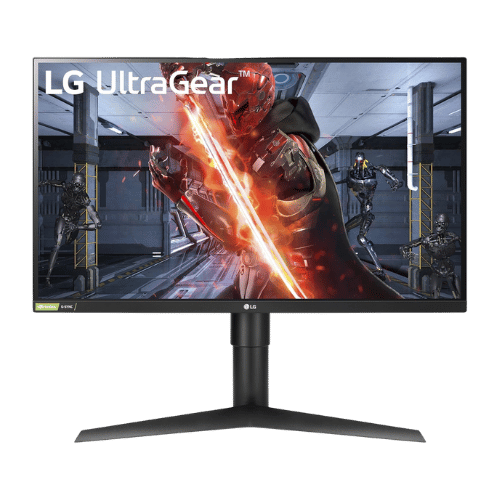
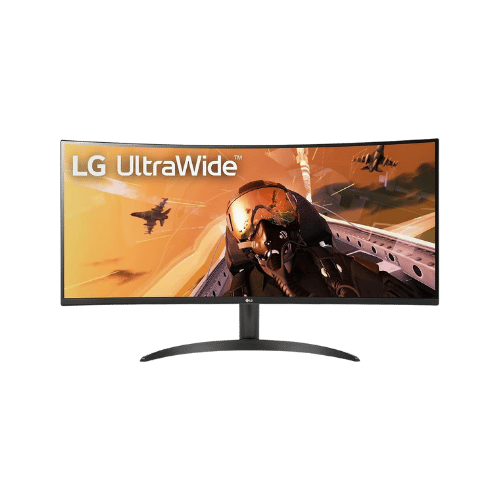
Leads the mid-range segment with the highest rating among 8 competing products. Direct competitors include ASUS VG248QG 24" G-SYNC Gaming Monitor, LG 27GL83A-B 27" UltraGear QHD IPS Monitor, LG 34WP60C-B 34" Ultrawide Curved WQHD 160Hz Monitor. Check our detailed comparison pages for head-to-head analysis.
+ Where can US buyers get GIGABYTE M28U 28" 4K 144Hz KVM Gaming Monitor?
For US buyers, Amazon offers competitive pricing, fast Prime shipping, easy returns, and reliable warranty support. Use our link above to check current availability and pricing—prices can fluctuate frequently.