
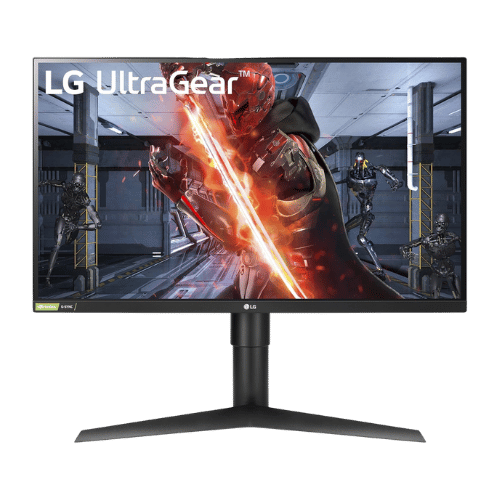
Is the LG 27GL83A-B 27" UltraGear QHD IPS Monitor Worth It in 2026?
Quick Verdict:
Yes—its 144Hz refresh rate and 99% sRGB color accuracy make it a top choice for gamers.
How This Verdict Was Reached
PageBen prioritizes usefulness for US shoppers. Affiliate commission does not decide recommendations, rankings, or verdicts.
Sources Checked
Official specifications, Retailer ratings, Manufacturer documentation, PageBen research.
Decision Factors
We weigh panel type, resolution, refresh rate, brightness, color coverage, ergonomics, and desk fit.
Editorial Standard
Research-based analysis from documented specs, published lab measurements, and verified-buyer evidence. Any hands-on note is labeled as such. Full methodology.
Is LG 27GL83A-B 27" UltraGear QHD IPS Monitor worth it? Yes, the sharp 2560 x 1440 resolution and super-fast 1ms response time make it an excellent investment for gamers. If you're serious about competitive gaming, this monitor provides the clarity and speed you need. However, if you're just browsing or watching movies, it might be overkill. PageBen's take: this monitor is designed for gamers who want high performance without breaking the bank.
Is the Price Justified?
At its price point, the LG 27GL83A-B offers strong value. The 144Hz refresh rate ensures smooth gameplay, especially for fast-paced titles, giving you a competitive edge. Compared to similarly priced monitors, the 99% sRGB color accuracy is a standout feature, making it ideal for both gaming and creative work. You'll get a lot of performance per dollar spent, especially if you prioritize gaming. However, some alternatives might offer better HDR performance or additional features for similar prices, but they lack the same level of gaming optimization.
3 Reasons to Buy
1. Exceptional Gaming Performance
Additionally, with 99% sRGB color accuracy, the monitor delivers vibrant colors, enhancing your gaming experience. Whether you're exploring lush environments or engaging in dark, gritty settings, colors pop and details stand out. This makes it not just great for gaming but also suitable for creative tasks like photo editing.
2. Ergonomic Design
You'll appreciate this feature if you often find yourself gaming for hours. The ability to adjust the monitor height and orientation means you can set it up just the way you like, enhancing both comfort and productivity.
3. G-SYNC Compatibility
This feature is essential for serious gamers who demand the best performance. If you're playing fast-paced games, the G-SYNC compatibility will elevate your experience, making it feel more immersive and responsive.
Reasons to Skip It
Limited HDR Performance
If HDR gaming or media consumption is a priority for you, it's worth considering other options that deliver better HDR experiences. The lack of local dimming further limits its ability to display deep blacks, making it less suitable for dark room environments.
No Built-In Speakers or USB Hub
Additionally, the lack of USB ports means you can't easily connect peripherals without extra adapters. This may frustrate users looking for a clean, all-in-one solution.
Technical Analysis
Key Specs at a Glance
The 27-inch size strikes the perfect balance for immersive gaming without overwhelming your desk space. Its 2560 x 1440 resolution is a significant upgrade over 1080p, providing sharper text and images, which is crucial for competitive gaming. The 1ms (GtG) response time minimizes motion blur, ensuring crisp visuals as you play, while the 144Hz refresh rate keeps up with fast movements, making it an strong fit for first-person shooters. G-SYNC compatibility ensures tear-free gaming, which is essential for maintaining a competitive edge. Finally, the ergonomic stand allows for height adjustment and pivoting, enhancing comfort during long gaming sessions.
Who Is This For?
The LG 27GL83A-B is best for competitive gamers who prioritize performance and responsiveness. With features like a 144Hz refresh rate and 1ms response time, it caters perfectly to those who need every advantage in fast-paced gaming scenarios. If you're a content creator or a professional who values color accuracy, the 99% sRGB coverage also makes it a good fit for design work.
How It Stacks Up Against Alternatives
Leads the mid-range segment with the highest rating among 8 competing products.
Direct Competitors:
What to Expect Long-Term
Beyond the initial purchase, here's what to consider about owning the LG 27GL83A-B 27" UltraGear QHD IPS Monitor:
Durability
Monitor panels last 7-10+ years. Backlight dimming is gradual and rarely an issue.
Support & Warranty
Most monitors have 3-year warranties. Dead pixel policies vary by manufacturer.
Upgrade Path
Monitor technology evolves slowly. 4K, high refresh rates, and HDR are current standards.
Resale Value
Monitors retain 30-50% value after 2-3 years. Gaming monitors with high refresh rates hold value better.
Final Decision: Should You Buy It?
✓ Buy if:
- You're a serious gamer needing low latency and high refresh rates.
- You appreciate vibrant colors for both gaming and creative tasks.
- You want an ergonomic setup that enhances comfort during long sessions.
✗ Skip if:
- You require strong HDR performance for immersive media experiences.
- You prefer an all-in-one monitor with built-in audio and USB ports.
The LG 27GL83A-B 27" UltraGear QHD IPS Monitor earns its price tag. That 144Hz refresh rate alone makes it worth it for competitive gamers who need speed and clarity. PageBen recommends this monitor for anyone looking to enhance their gaming experience—especially with its impressive 99% sRGB color accuracy for vibrant visuals.
Quick Questions
+ Is the LG 27GL83A-B 27" UltraGear QHD IPS Monitor worth buying in 2026?
Yes—its 144Hz refresh rate and 99% sRGB color accuracy make it a top choice for gamers.
+ What are the main pros of LG 27GL83A-B 27" UltraGear QHD IPS Monitor?
Key advantages: Ideal 27-inch QHD sweet spot delivers sharper text and details than 1080p; Fast 1ms IPS panel eliminates motion blur while maintaining vibrant 99% sRGB colors; Fully certified 'G-SYNC Compatible' for tear-free gaming on NVIDIA GPUs. These make it a strong choice in the monitors market.
+ What are the downsides of LG 27GL83A-B 27" UltraGear QHD IPS Monitor?
Main considerations: Contrast ratio is mediocre (IPS glow is visible in dark rooms; blacks appear gray); Lacks a USB hub and built-in speakers (features found on the pricier '850' model); HDR performance is poor due to low brightness and lack of local dimming. Consider whether these affect your specific use case.
+ How long will the LG 27GL83A-B 27" UltraGear QHD IPS Monitor last?
Monitor panels last 7-10+ years. Backlight dimming is gradual and rarely an issue.
+ What warranty does LG 27GL83A-B 27" UltraGear QHD IPS Monitor come with?
Most monitors have 3-year warranties. Dead pixel policies vary by manufacturer.
+ How does LG 27GL83A-B 27" UltraGear QHD IPS Monitor compare to alternatives?
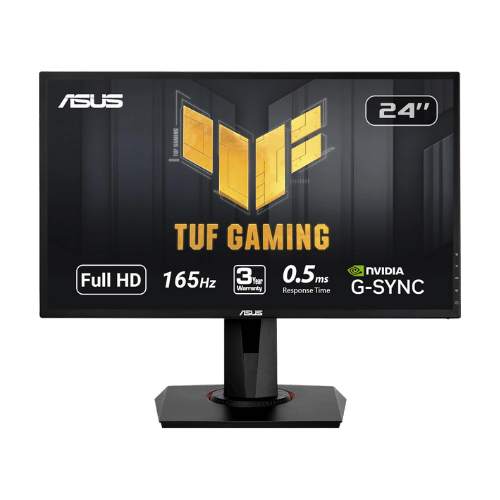
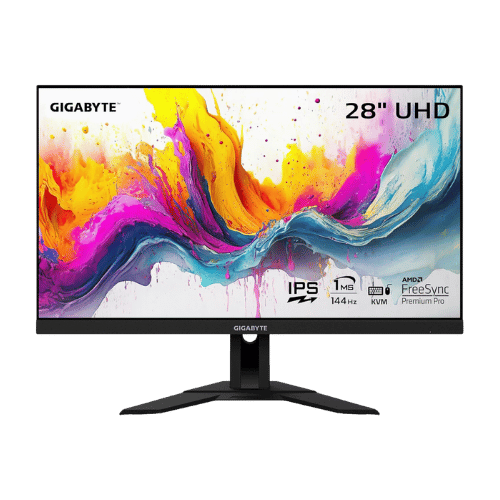
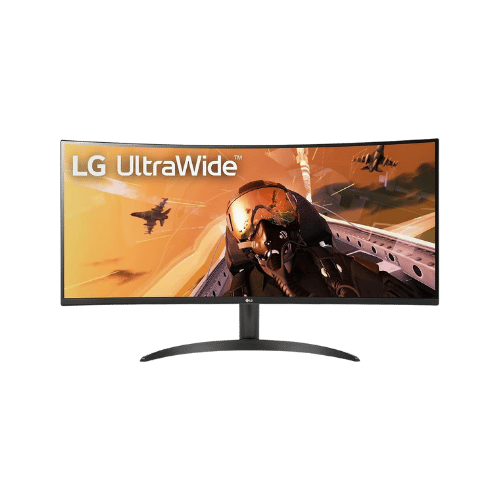
Leads the mid-range segment with the highest rating among 8 competing products. Direct competitors include ASUS VG248QG 24" G-SYNC Gaming Monitor, GIGABYTE M28U 28" 4K 144Hz KVM Gaming Monitor, LG 34WP60C-B 34" Ultrawide Curved WQHD 160Hz Monitor. Check our detailed comparison pages for head-to-head analysis.
+ Where can US buyers get LG 27GL83A-B 27" UltraGear QHD IPS Monitor?
For US buyers, Amazon offers competitive pricing, fast Prime shipping, easy returns, and reliable warranty support. Use our link above to check current availability and pricing—prices can fluctuate frequently.