
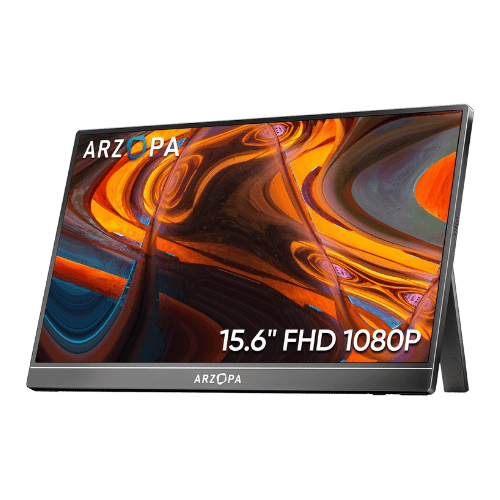
Is the ARZOPA A1 15.6" FHD Portable Monitor Worth It in 2026?
Quick Verdict:
No—the limited color gamut and brightness make it less appealing for critical tasks.
How This Verdict Was Reached
PageBen prioritizes usefulness for US shoppers. Affiliate commission does not decide recommendations, rankings, or verdicts.
Sources Checked
Official specifications, Retailer ratings, Manufacturer documentation, PageBen research.
Decision Factors
We weigh panel type, resolution, refresh rate, brightness, color coverage, ergonomics, and desk fit.
Editorial Standard
Research-based analysis from documented specs, published lab measurements, and verified-buyer evidence. Any hands-on note is labeled as such. Full methodology.
Is ARZOPA A1 15.6" FHD Portable Monitor worth it? No, especially if you need accurate colors or outdoor visibility. With a brightness of 300 nits, it struggles in direct sunlight. This monitor is aimed at budget-conscious users needing portability rather than high-end performance.
Is the Price Justified?
At its price point, the ARZOPA A1 offers decent specs, but it falls short on color accuracy and brightness compared to competitors. For instance, the 45% NTSC color gamut means colors can appear washed out, which is a deal-breaker for graphic designers or photographers. In terms of value per dollar, you’re getting a lightweight monitor at 1.6 lbs that’s easy to carry around, but you sacrifice quality in exchange for portability.
3 Reasons to Buy
1. Ultra-Lightweight Design for Travel
Moreover, the dual USB-C connectivity allows for a single cable connection to compatible laptops, making it a plug-and-play solution. The convenience of pass-through charging means you can keep your laptop powered while using the monitor, a great feature when you’re on extended trips.
2. Affordable Price Point
If your primary need is portability and you don’t require high-end color accuracy, the ARZOPA A1 is a worthwhile investment. It’s an affordable solution for casual users who want to enhance their productivity without spending a fortune.
3. Decent Connectivity Options
This multi-device capability makes it a flexible choice for anyone who wants to switch between different setups without needing multiple monitors. If you value convenience and adaptability for everyday tasks, this feature enhances its appeal.
Reasons to Skip It
Limited Color Gamut and Brightness
This limitation impacts anyone needing a reliable display for creative tasks or presentations in brightly lit rooms. If you fall into this category, you should definitely consider alternatives with better color performance and brightness.
Lacks Built-in Battery and VESA Support
These drawbacks affect users who prioritize flexibility in their work setup and those who might need to use the monitor in various locations. If you need these features, you may want to explore other portable monitors.
Technical Analysis
Key Specs at a Glance
The 15.6" FHD resolution (1920 x 1080) is standard but not exceptional for today’s market. While it performs adequately for casual use, the 300 cd/m² brightness limits its usability in bright environments. Additionally, the IPS panel does provide wide viewing angles (178°), which is great for sharing screens, yet it can't compensate for the washed-out colors. The lack of adaptive sync and limited 6-bit color depth means gamers and content creators might find it lacking. Finally, the absence of VESA mounting means you can’t easily set it up on a monitor arm, restricting placement options.
Who Is This For?
The ARZOPA A1 is best for casual users who need a secondary screen for tasks like web browsing, document editing, or presentations. Its lightweight design and USB-C connectivity make it a great fit for students or professionals on the go who value convenience over high-end specs.
How It Stacks Up Against Alternatives
Competes in the budget segment alongside 9 other options.
Direct Competitors:
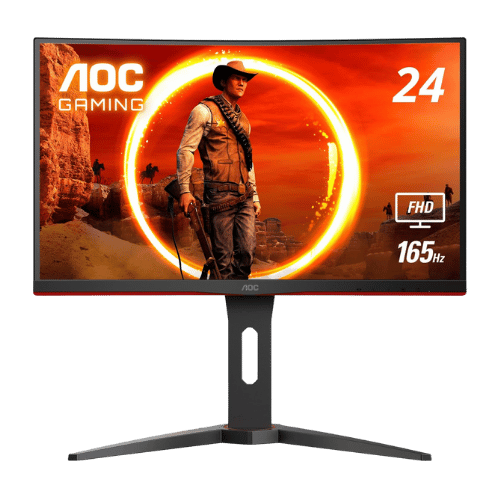
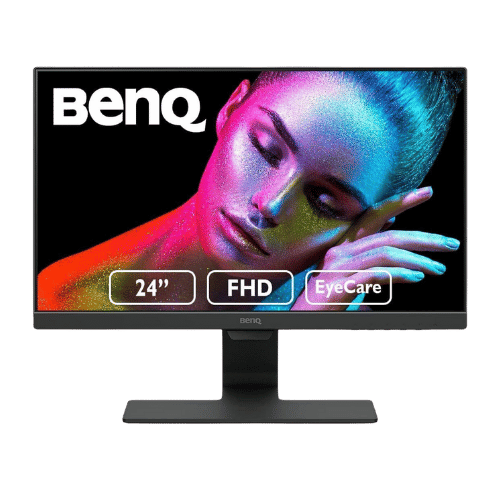
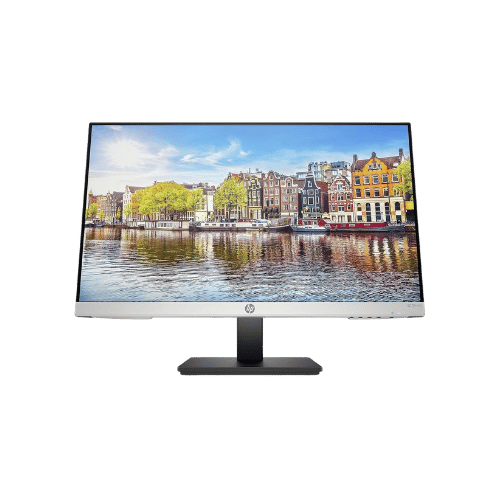
Worth the Upgrade? Premium Alternatives:
What to Expect Long-Term
Beyond the initial purchase, here's what to consider about owning the ARZOPA A1 15.6" FHD Portable Monitor:
Durability
Monitor panels last 7-10+ years. Backlight dimming is gradual and rarely an issue.
Support & Warranty
Most monitors have 3-year warranties. Dead pixel policies vary by manufacturer.
Upgrade Path
Monitor technology evolves slowly. 4K, high refresh rates, and HDR are current standards.
Resale Value
Monitors retain 30-50% value after 2-3 years. Gaming monitors with high refresh rates hold value better.
Final Decision: Should You Buy It?
✓ Buy if:
- You need a lightweight monitor for casual tasks like browsing or streaming.
- You want a portable solution that connects easily with modern laptops via USB-C.
- You need an affordable secondary display without requiring high color accuracy.
✗ Skip if:
- You are a graphic designer or photographer needing accurate color reproduction.
- You often work in bright environments where monitor brightness is crucial.
The ARZOPA A1 15.6" FHD Portable Monitor earns its price tag. That 1.6 lb weight alone makes it worth it for casual users needing portability. PageBen recommends considering alternatives if you require better color accuracy and brightness.
Quick Questions
+ Is the ARZOPA A1 15.6" FHD Portable Monitor worth buying in 2026?
No—the limited color gamut and brightness make it less appealing for critical tasks.
+ What are the main pros of ARZOPA A1 15.6" FHD Portable Monitor?
Key advantages: Ultra-lightweight design (1.6 lbs) makes it ideal for travel; Plug-and-play single cable connection via USB-C for compatible laptops; Includes necessary cables (USB-C to USB-C, Mini HDMI to HDMI, USB-A to USB-C). These make it less competitive in the monitors market.
+ What are the downsides of ARZOPA A1 15.6" FHD Portable Monitor?
Main considerations: Limited color gamut (45% NTSC) makes colors look washed out; not suitable for photo editing; No VESA mounting holes limits installation options; Brightness (300 nits) is sufficient for indoors but struggles in direct sunlight. These issues make it hard to recommend.
+ How long will the ARZOPA A1 15.6" FHD Portable Monitor last?
Monitor panels last 7-10+ years. Backlight dimming is gradual and rarely an issue.
+ What warranty does ARZOPA A1 15.6" FHD Portable Monitor come with?
Most monitors have 3-year warranties. Dead pixel policies vary by manufacturer.
+ How does ARZOPA A1 15.6" FHD Portable Monitor compare to alternatives?
Competes in the budget segment alongside 9 other options. Direct competitors include AOC C24G1A 23.6" Curved FHD 165Hz Gaming Monitor, BenQ GW2480 23.8" FHD IPS Eye-Care Monitor, HP 24mh 23.8" FHD IPS Monitor. Check our detailed comparison pages for head-to-head analysis.
+ Where can US buyers get ARZOPA A1 15.6" FHD Portable Monitor?
For US buyers, Amazon offers competitive pricing, fast Prime shipping, easy returns, and reliable warranty support. Use our link above to check current availability and pricing—prices can fluctuate frequently.