
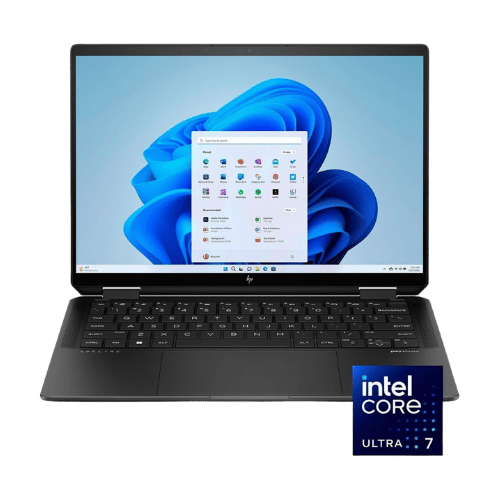
Is the HP Spectre x360 14" 2-in-1 Core Ultra 7 155H Worth It in 2026?
Quick Verdict:
Yes—the **2TB SSD** and **32GB RAM** make it an unbeatable investment for power users.
How This Verdict Was Reached
PageBen prioritizes usefulness for US shoppers. Affiliate commission does not decide recommendations, rankings, or verdicts.
Sources Checked
Official specifications, Retailer ratings, Manufacturer documentation, PageBen research.
Decision Factors
We weigh processor class, memory, display quality, battery life, ports, weight, and upgrade limits.
Editorial Standard
Research-based analysis from documented specs, published lab measurements, and verified-buyer evidence. Any hands-on note is labeled as such. Full methodology.
Is HP Spectre x360 14" 2-in-1 Core Ultra 7 155H worth it? Yes, especially if you need high performance and a vibrant display. The 14" 2.8K OLED screen is a standout feature for creators and business professionals alike. This laptop is for those who require advanced specs and premium build quality, while casual users may find it overkill and should look elsewhere.
Is the Price Justified?
The HP Spectre x360 14" 2-in-1 Core Ultra 7 155H justifies its price point with exceptional specs that cater to demanding users. With 32GB LPDDR5x RAM and a 2TB PCIe Gen4 NVMe SSD, you're getting top-tier performance that handles multitasking and storage needs effortlessly. Compared to competitors, this configuration offers a superior balance of speed and capacity, making it a smarter buy for creative professionals and power users. When you break it down, the OLED display with a resolution of 2880 x 1800 enhances your viewing experience, especially for graphic design and media consumption, providing a crisp, colorful display that’s hard to beat. For those who need a reliable laptop that can double as a tablet, the 2-in-1 convertible design adds versatility, making it worth every penny. However, it doesn't come without a higher price tag, which reflects its flagship status. If you’re looking for flagship quality, the investment pays off in performance and features. In a market where laptops with similar specs can cost as much or more, the Spectre x360 offers a compelling package that’s hard to overlook.
3 Reasons to Buy
1. Stunning OLED Display
The 2.8K OLED display with a 120Hz refresh rate makes for an engaging visual experience. Whether you're editing photos or streaming content, the vibrant colors and sharp details elevate your usage. The 100% DCI-P3 color gamut means you can trust the colors to be accurate, which is essential for any creative work. Additionally, the 500 nits HDR peak brightness allows for clarity even in bright environments, ensuring you can work effectively anywhere. This feature alone justifies the investment for professionals in creative fields who require precision in their visuals.
2. Top-Tier Performance
Equipped with the Intel Core Ultra 7 155H and 32GB LPDDR5x RAM, this laptop crushes multitasking and demanding applications. You can run resource-intensive programs like video editing software or virtual machines without a hitch, making it a powerhouse for professionals. Additionally, the 2TB SSD ensures you have ample space for large files and quick access speeds, meaning you can expect shorter load times and increased productivity. This level of performance is particularly beneficial for users who need reliability and speed to meet tight deadlines.
3. Outstanding Webcam and Audio
The 9MP AI camera combined with the hardware shutter offers exceptional video quality for calls and meetings. This is a key feature for remote workers looking to present themselves professionally. The AI noise reduction enhances audio clarity, ensuring you sound great on calls. In a world where video conferencing has become the norm, having a laptop that excels in this area is invaluable, making it worth the extra investment for professionals who rely on effective communication.
Reasons to Skip It
Limited Upgrade Options
Additionally, while the 2TB SSD is impressive, the lack of an HDMI port requires the use of adapters for external displays. This can be an inconvenience for users who frequently connect their laptops to projectors or larger screens, potentially increasing your overall costs.
High Price Tag
If you’re not engaged in high-performance tasks or creative work, the cost may outweigh the benefits, making this a luxury rather than a necessity for you.
Technical Analysis
Key Specs at a Glance
The Intel Core Ultra 7 155H CPU is a powerhouse, featuring 16 cores and boosting up to 4.8 GHz. This level of performance is ideal for heavy multitasking and demanding applications, setting a high bar for competitors. In real-world use, you’ll notice significant speed improvements in tasks such as video editing and 3D rendering compared to older generations. For graphics, the Intel Arc Graphics integrated GPU offers decent performance for everyday tasks and light gaming. While not suited for hardcore gaming, it’s more than capable for casual use and tasks that require decent graphical power. If you’re into creative work, this capability paired with the 9MP AI camera provides excellent video conferencing quality, making it ideal for remote work. The 32GB RAM ensures smooth operation, allowing you to run multiple applications without lag. However, keep in mind that this memory is soldered in, meaning you won't be able to upgrade it later. It’s a trade-off for high performance now, but consider your future needs. The 14" OLED display with a 120Hz refresh rate is a game changer for visual clarity and smoothness during scrolling or gaming. The 400 nits brightness ensures usability in various lighting conditions, though the glossy finish may be reflective in bright outdoor settings. This choice of screen technology enhances not just productivity but also entertainment, providing vibrant colors and deep blacks. Battery life is decent with a 68 Wh capacity, though specifics on longevity are not provided. In practice, it should last through a full workday with moderate use, which is essential for mobile professionals. This balance of power and efficiency is crucial for those who are always on the go.
Who Is This For?
This laptop is best suited for professionals and creatives who need high performance, such as video editors or graphic designers. With 32GB RAM and a 2TB SSD, it can handle demanding applications and large projects with ease. Not ideal for casual users or those with basic computing needs, as the price point may not be justifiable. If you mainly browse the web or use office applications, you might find better value in lower-tier models that can save you money while still meeting your requirements.
How It Stacks Up Against Alternatives
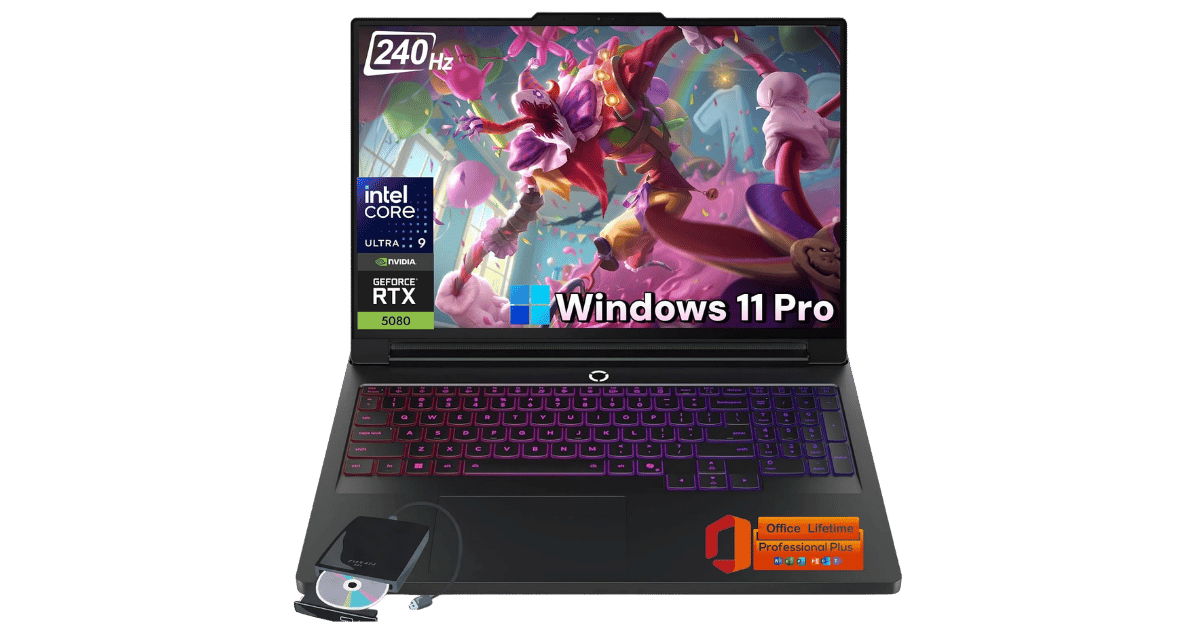
Competes in the premium flagship segment alongside 2 other options.

On a Budget? Consider These:
What to Expect Long-Term
Beyond the initial purchase, here's what to consider about owning the HP Spectre x360 14" 2-in-1 Core Ultra 7 155H:
Durability
Premium laptops with metal builds typically last 5-7 years. Battery capacity may degrade to 80% after 2-3 years.
Support & Warranty
Apple offers the longest software support (5+ years). Windows laptops vary by manufacturer.
Upgrade Path
Consider upgradeability: RAM and SSD upgrades can extend useful life by 2-3 years.
Resale Value
MacBooks and premium Windows laptops retain 50-70% value after 2 years. Gaming laptops depreciate faster.
Final Decision: Should You Buy It?
✓ Buy if:
- You need a laptop for video editing or graphic design.
- You require a high-quality webcam for remote work.
- You want a premium display for creative tasks.
✗ Skip if:
- You only need a laptop for basic tasks like browsing and email.
- You prefer a laptop with upgradeable components.
The HP Spectre x360 14" 2-in-1 Core Ultra 7 155H earns its price tag. That 2TB SSD and 32GB RAM make it worth it for professionals needing high performance and superior display quality. For those seeking a reliable powerhouse that balances creativity with productivity, this is a no-brainer. PageBen recommends it for anyone serious about their work and willing to invest in quality.
Quick Questions
+ Is the HP Spectre x360 14" 2-in-1 Core Ultra 7 155H worth buying in 2026?
Yes—the **2TB SSD** and **32GB RAM** make it an unbeatable investment for power users.
+ What are the main pros of HP Spectre x360 14" 2-in-1 Core Ultra 7 155H?
Key advantages: Premium 2.8K OLED display with 120Hz refresh rate and IMAX Enhanced certification; Best-in-class 9MP webcam with AI noise reduction and hardware shutter; Massive 32GB RAM and 2TB SSD configuration (specific to 'eu0023dx' SKU). These make it a strong choice in the laptops market.
+ What are the downsides of HP Spectre x360 14" 2-in-1 Core Ultra 7 155H?
Main considerations: No built-in HDMI port (requires USB-C adapter); Memory is soldered and cannot be upgraded later; Top-tier pricing reflects the flagship build and specs. Consider whether these affect your specific use case.
+ How long will the HP Spectre x360 14" 2-in-1 Core Ultra 7 155H last?
Premium laptops with metal builds typically last 5-7 years. Battery capacity may degrade to 80% after 2-3 years.
+ What warranty does HP Spectre x360 14" 2-in-1 Core Ultra 7 155H come with?
Apple offers the longest software support (5+ years). Windows laptops vary by manufacturer.
+ How does HP Spectre x360 14" 2-in-1 Core Ultra 7 155H compare to alternatives?
Competes in the premium flagship segment alongside 2 other options. Direct competitors include Apple MacBook Pro 14-inch, Lenovo Legion Pro 7i Gen 10 (16-inch, RTX 5080). Check our detailed comparison pages for head-to-head analysis.
+ Where can US buyers get HP Spectre x360 14" 2-in-1 Core Ultra 7 155H?
For US buyers, Amazon offers competitive pricing, fast Prime shipping, easy returns, and reliable warranty support. Use our link above to check current availability and pricing—prices can fluctuate frequently.