

Is the Apple MacBook Pro 14-inch Worth It in 2026?
Quick Verdict:
Yes—the 1,600 nits peak brightness display and M3 Max performance make it a no-brainer.
How This Verdict Was Reached
PageBen prioritizes usefulness for US shoppers. Affiliate commission does not decide recommendations, rankings, or verdicts.
Sources Checked
Official specifications, Retailer ratings, Manufacturer documentation, PageBen research.
Decision Factors
We weigh processor class, memory, display quality, battery life, ports, weight, and upgrade limits.
Editorial Standard
Research-based analysis from documented specs, published lab measurements, and verified-buyer evidence. Any hands-on note is labeled as such. Full methodology.
Is Apple MacBook Pro 14-inch worth it? Yes, especially for professionals needing top-tier performance and a stunning display. The 1,600 nits peak brightness makes this laptop shine in any environment. This is for content creators, software developers, and anyone who demands serious performance. If you’re casual user or a student, you might want to skip it. PageBen's take: The Apple MacBook Pro 14-inch is an investment that pays off in performance and display quality. With a M3 Max chip and a 14.2-inch Liquid Retina XDR display, it offers premium features that justify the price for serious users.
Is the Price Justified?
The starting price for the Apple MacBook Pro 14-inch may seem steep, but it delivers a M3 Max chip that rivals high-end desktops, making it a worthwhile investment for professionals. With up to 128GB of Unified Memory, it handles multitasking like a champ, ensuring you get high performance per dollar spent. When comparing price-to-performance ratios in 2026, this MacBook stands out with its 1,600 nits peak brightness display. Few competitors offer such quality in a laptop, making it a strong contender in its price range. You'll pay for the quality, but you're getting a lot in return. While the initial cost is high, the active cooling system and impressive battery life of up to 18 hours of video playback ensure it remains efficient under load, providing real value over time. This isn't just a laptop; it’s a tool that enhances productivity. However, the lack of user-upgradeable components means you should carefully consider your configuration at purchase. Configuring it with maximum RAM and storage can quickly increase the price, but it locks in performance that can last for years, making it a smart long-term investment.
3 Reasons to Buy
1. Stunning Display Quality
The Liquid Retina XDR display with 1,600 nits peak brightness is a game changer for anyone in creative fields. It provides true-to-life colors and exceptional brightness, making it perfect for photo editing, video production, and graphic design. This level of display quality is rarely found in laptops, providing a significant edge over competitors. Being able to view HDR content in its full glory enhances your work and entertainment experience alike. The 120Hz refresh rate also ensures smooth scrolling and responsiveness, making it an absolute pleasure to use.
2. M3 Max Performance
With configurations available up to the M3 Max chip, this laptop crushes heavy workloads. Whether you’re rendering 3D graphics or compiling code, the performance is top-notch, allowing you to complete tasks faster and more efficiently. This capability makes it a prime choice for software developers and content creators who need reliability and speed. Additionally, the 18 GB to 128 GB Unified Memory options provide ample resources for multitasking. This means you can run multiple demanding applications simultaneously without the system slowing down.
3. Exceptional Battery Life
The battery life of up to 18 hours of video playback is impressive, especially given the performance level. This allows you to work on the go without the constant worry of needing a power outlet. For professionals who travel or work remotely, this feature is invaluable as it supports productivity without interruptions. Moreover, the active cooling system ensures that even during demanding tasks, the battery life remains strong. You can rely on it to handle long days filled with heavy workloads.
Reasons to Skip It
High Price Tag
The starting price is steep, especially when you add upgrades for RAM and storage. If you're not utilizing the full potential of the M3 Max chip or the high-resolution display, you might find better value elsewhere. This laptop is designed for power users, so if you’re a casual user, you may find it overpriced for your needs. You also face the issue of non-upgradable components, meaning you can’t enhance RAM or storage later on. If you’re not careful with your initial configuration, you could end up with a machine that doesn’t meet your needs in the long run.
Fan Noise Under Load
While the active cooling system is effective, the fans can become audible under maximum load. This might be distracting for those in quiet environments, such as libraries or during calls. If you're looking for a silent operation, this could be a deal-breaker. For users who work in noise-sensitive settings, the fan noise might detract from the overall experience. Consider this if you value a quieter machine over the high performance offered.
Technical Analysis
Key Specs at a Glance
The Apple MacBook Pro 14-inch features the M3 Pro or M3 Max chip, with options for up to 16 GPU cores, which translates to exceptional graphics performance. This makes it perfect for video editing and graphic design, easily handling heavy workloads that other laptops might struggle with. The 14.2-inch Liquid Retina XDR display offers a resolution of 3024 x 1964, ensuring crystal-clear images and vibrant colors. With 10,000+ local dimming zones, it excels in HDR content, making it ideal for creative professionals who need precise color accuracy. Battery life is another strong point, with a 72.4 Wh battery providing up to 18 hours of video playback. This makes it a reliable choice for on-the-go professionals who need extended usage without constantly searching for a charger. Connectivity is generous, with three Thunderbolt 4 ports and an HDMI 2.1 port, offering flexibility for various peripherals. You can easily connect high-resolution displays or external storage devices without hassle. The 1080p FaceTime HD camera is a nice touch, especially for remote work or video conferencing, providing clear video quality that stands out in the current market. However, under max load, fans become audible, which might be a concern for users who prefer a quieter environment.
Compare with similar options:
Who Is This For?
This MacBook is tailored for professionals who need high performance and an impressive display, such as video editors, graphic designers, and developers. The M3 Max configuration ensures they can tackle demanding tasks efficiently, making it a valuable tool for serious work. It’s not ideal for casual users or students who may not require such power. If your tasks are limited to browsing or basic document editing, you might find better alternatives that provide similar features at a lower price point.
How It Stacks Up Against Alternatives
Leads the premium flagship segment with the highest rating among 3 competing products.
Direct Competitors:
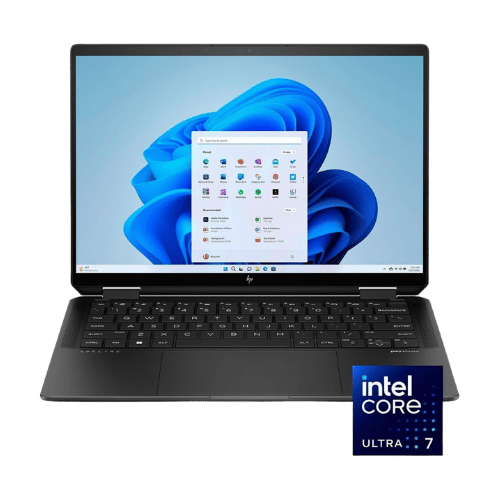
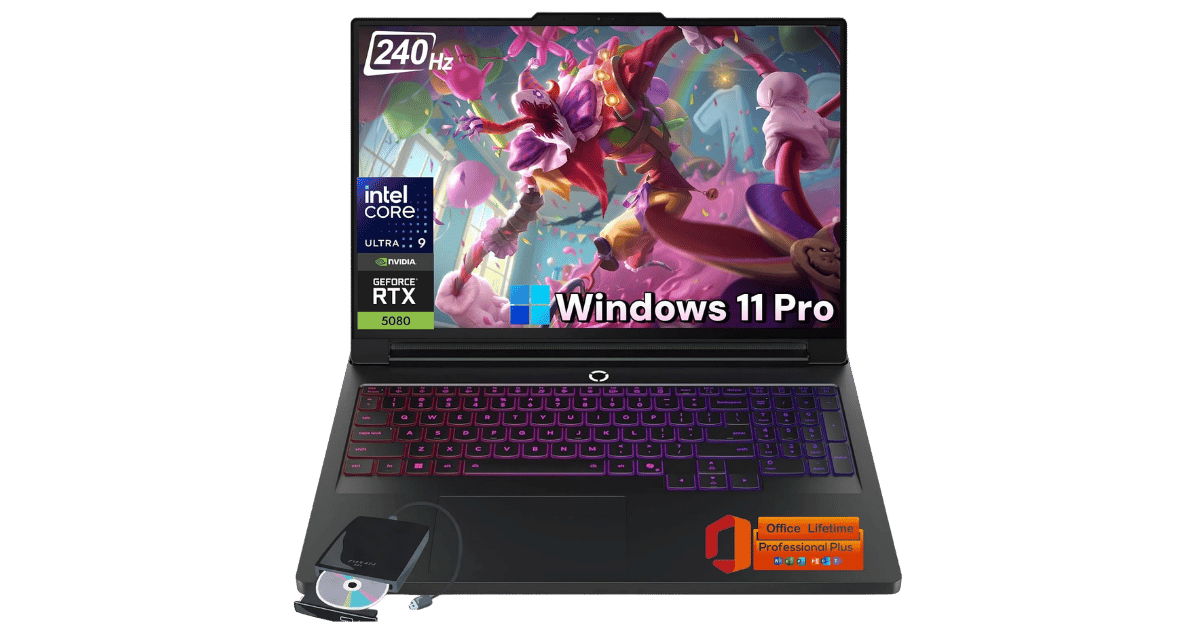
On a Budget? Consider These:
What to Expect Long-Term
Beyond the initial purchase, here's what to consider about owning the Apple MacBook Pro 14-inch:
Durability
Premium laptops with metal builds typically last 5-7 years. Battery capacity may degrade to 80% after 2-3 years.
Support & Warranty
Apple offers the longest software support (5+ years). Windows laptops vary by manufacturer.
Upgrade Path
Consider upgradeability: RAM and SSD upgrades can extend useful life by 2-3 years.
Resale Value
MacBooks and premium Windows laptops retain 50-70% value after 2 years. Gaming laptops depreciate faster.
Final Decision: Should You Buy It?
✓ Buy if:
- You need a powerful laptop for video editing or programming.
- You want a top-tier display for graphic design work.
- You travel frequently and require long battery life.
✗ Skip if:
- You're a casual user looking for basic performance.
- You prefer a quieter machine without fan noise.
The Apple MacBook Pro 14-inch earns its price tag. That 1,600 nits peak brightness display and M3 Max chip make it worth it for professionals. If you're serious about your work and can utilize its features, the investment will pay off handsomely. For those who don't need such power, consider other options that fit your budget better. Check out PageBen for more insights on tech products.
Quick Questions
+ Is the Apple MacBook Pro 14-inch worth buying in 2026?
Yes—the 1,600 nits peak brightness display and M3 Max performance make it a no-brainer.
+ What are the main pros of Apple MacBook Pro 14-inch?
Key advantages: Class-leading Liquid Retina XDR display with 1,600 nits peak brightness; M3 Max configuration rivals high-end desktop performance in a portable chassis; Generous port selection including HDMI 2.1, SDXC, and three Thunderbolt 4 ports. These make it a strong choice in the laptops market.
+ What are the downsides of Apple MacBook Pro 14-inch?
Main considerations: Expensive starting price with expensive upgrades for RAM and SSD; No user-upgradeable components (RAM and SSD are soldered); The notch at the top of the display cuts into the menu bar area. Consider whether these affect your specific use case.
+ How long will the Apple MacBook Pro 14-inch last?
Premium laptops with metal builds typically last 5-7 years. Battery capacity may degrade to 80% after 2-3 years.
+ What warranty does Apple MacBook Pro 14-inch come with?
Apple offers the longest software support (5+ years). Windows laptops vary by manufacturer.
+ How does Apple MacBook Pro 14-inch compare to alternatives?
Leads the premium flagship segment with the highest rating among 3 competing products. Direct competitors include HP Spectre x360 14" 2-in-1 Core Ultra 7 155H, Lenovo Legion Pro 7i Gen 10 (16-inch, RTX 5080). Check our detailed comparison pages for head-to-head analysis.
+ Where can US buyers get Apple MacBook Pro 14-inch?
For US buyers, Amazon offers competitive pricing, fast Prime shipping, easy returns, and reliable warranty support. Use our link above to check current availability and pricing—prices can fluctuate frequently.