
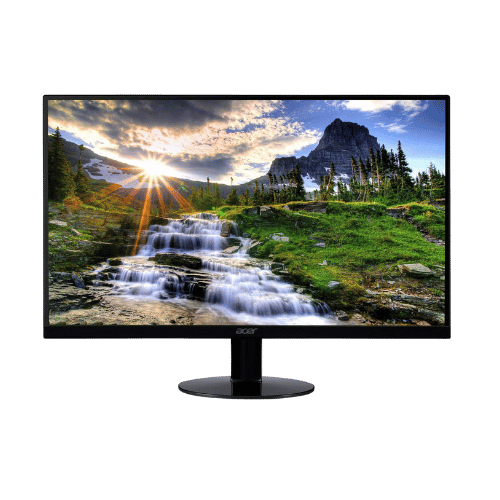
Is the Acer SB220Q bi 21.5" FHD IPS Monitor Worth It in 2026?
Quick Verdict:
Yes—the 75Hz refresh rate and ultra-thin design make it a solid buy for budget-conscious users.
How This Verdict Was Reached
PageBen prioritizes usefulness for US shoppers. Affiliate commission does not decide recommendations, rankings, or verdicts.
Sources Checked
Official specifications, Retailer ratings, Manufacturer documentation, PageBen research.
Decision Factors
We weigh panel type, resolution, refresh rate, brightness, color coverage, ergonomics, and desk fit.
Editorial Standard
Research-based analysis from documented specs, published lab measurements, and verified-buyer evidence. Any hands-on note is labeled as such. Full methodology.
Is Acer SB220Q bi 21.5" FHD IPS Monitor worth it? Yes, this monitor offers a 75Hz refresh rate which enhances the viewing experience, making it ideal for casual gaming and daily tasks. It's perfect for those needing a compact and stylish monitor. If you're looking for a secondary display or a primary monitor on a budget, this is a great fit.
Is the Price Justified?
The Acer SB220Q bi delivers strong value for its price, especially with a 75Hz refresh rate that outperforms many budget monitors stuck at 60Hz. In 2026, monitors with similar specs can be pricier, making this a smart investment for everyday use. You get vibrant colors from the IPS panel and a sleek design, all while keeping costs low. For users wanting a reliable display on a budget, this monitor gives you a lot for your dollar, especially as secondary setups gain popularity.
3 Reasons to Buy
1. Ultra-Thin 'Zero Frame' Design
This monitor's modern look is complemented by its overall lightweight design, allowing you to easily shift it around your workspace. If you're tight on space or want a clean, uncluttered desk, the Acer SB220Q fits the bill.
2. Smoother Gaming Experience
The 4 ms response time further enhances gameplay, ensuring that actions on-screen are rendered without lag. This makes it suitable for not just casual gaming but also for anyone who multitasks between work and play.
3. Exceptional Color Quality
The 178° viewing angles mean that colors remain consistent no matter where you're sitting. This is particularly beneficial in shared spaces where multiple people may be viewing the screen from different angles.
Reasons to Skip It
Limited Connectivity Options
If you often switch between devices or use multiple monitors, this limitation becomes more pronounced. You might find yourself needing a new monitor sooner than you'd like if you can't connect all your equipment.
Basic Stand with No Adjustments
This basic stand means you may need to invest in an aftermarket solution for better ergonomics, which can add to your overall cost. If you're sensitive to monitor positioning, look for alternatives that provide more customization.
Technical Analysis
Key Specs at a Glance
The 21.5-inch size is compact, making it easy to fit on small desks without sacrificing performance. With a 1920 x 1080 resolution, images are clear and detailed, great for both work and play. The IPS technology ensures wide viewing angles at 178°, meaning you can view the screen from off-angles without losing color quality. While lacking VESA compatibility, its ultra-thin design still provides a modern aesthetic. The absence of built-in speakers might be a downside for some, but it keeps the price down and allows for more versatile external audio options.
Who Is This For?
The Acer SB220Q is best for budget-conscious users looking for a compact monitor for basic tasks like browsing, office work, or light gaming. With its 75Hz refresh rate and IPS panel, it offers decent performance for casual users who prioritize value over high-end features. Not ideal for professional gamers or users needing advanced connectivity options, as its limited ports could hinder more complex setups.
How It Stacks Up Against Alternatives
Ranks in the top tier of budget options, placing #4 out of 10 products we track.
Direct Competitors:
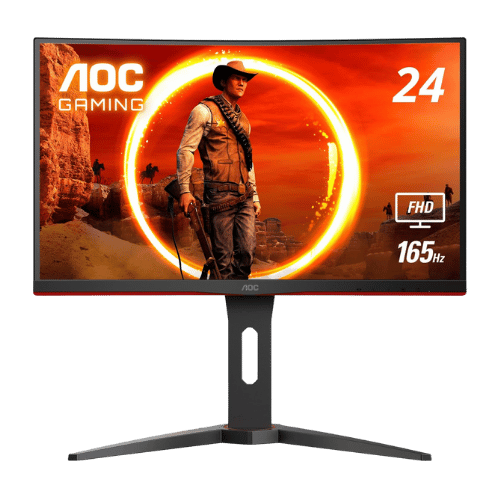
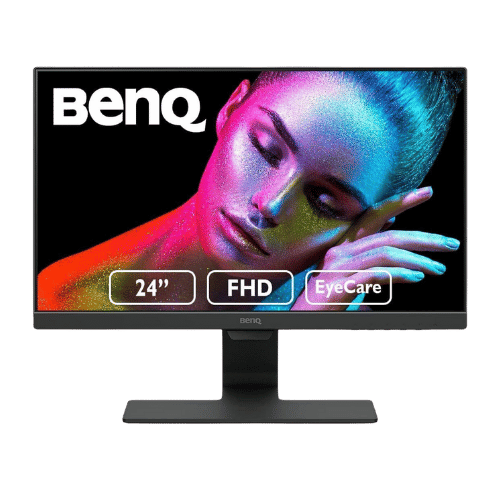
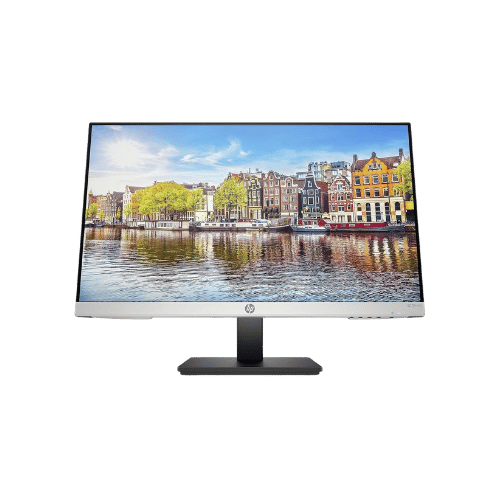
Worth the Upgrade? Premium Alternatives:
What to Expect Long-Term
Beyond the initial purchase, here's what to consider about owning the Acer SB220Q bi 21.5" FHD IPS Monitor:
Durability
Monitor panels last 7-10+ years. Backlight dimming is gradual and rarely an issue.
Support & Warranty
Most monitors have 3-year warranties. Dead pixel policies vary by manufacturer.
Upgrade Path
Monitor technology evolves slowly. 4K, high refresh rates, and HDR are current standards.
Resale Value
Monitors retain 30-50% value after 2-3 years. Gaming monitors with high refresh rates hold value better.
Final Decision: Should You Buy It?
✓ Buy if:
- You need an affordable monitor for everyday tasks or as a secondary screen.
- You want a stylish, space-saving design without compromising on basic performance.
- You're a casual gamer looking for a smoother experience without high costs.
✗ Skip if:
- You require multiple connectivity options for various devices.
- You need advanced ergonomic adjustments for comfortable long-term use.
The Acer SB220Q bi 21.5" FHD IPS Monitor earns its price tag. That 75Hz refresh rate alone makes it worth it for budget-conscious users needing a reliable monitor. PageBen recommends this monitor for anyone wanting good performance without overspending.
Quick Questions
+ Is the Acer SB220Q bi 21.5" FHD IPS Monitor worth buying in 2026?
Yes—the 75Hz refresh rate and ultra-thin design make it a solid buy for budget-conscious users.
+ What are the main pros of Acer SB220Q bi 21.5" FHD IPS Monitor?
Key advantages: Ultra-thin 'Zero Frame' design looks modern and saves desk space; IPS panel ensures consistent colors and wide viewing angles (178°); 75Hz refresh rate with FreeSync provides smoother gaming than standard 60Hz panels. These make it a strong choice in the monitors market.
+ What are the downsides of Acer SB220Q bi 21.5" FHD IPS Monitor?
Main considerations: Lacks VESA mount compatibility (cannot be mounted on arms or walls); No built-in audio or headphone jack; Stand is basic with no height, swivel, or pivot adjustments. Consider whether these affect your specific use case.
+ How long will the Acer SB220Q bi 21.5" FHD IPS Monitor last?
Monitor panels last 7-10+ years. Backlight dimming is gradual and rarely an issue.
+ What warranty does Acer SB220Q bi 21.5" FHD IPS Monitor come with?
Most monitors have 3-year warranties. Dead pixel policies vary by manufacturer.
+ How does Acer SB220Q bi 21.5" FHD IPS Monitor compare to alternatives?
Ranks in the top tier of budget options, placing #4 out of 10 products we track. Direct competitors include AOC C24G1A 23.6" Curved FHD 165Hz Gaming Monitor, BenQ GW2480 23.8" FHD IPS Eye-Care Monitor, HP 24mh 23.8" FHD IPS Monitor. Check our detailed comparison pages for head-to-head analysis.
+ Where can US buyers get Acer SB220Q bi 21.5" FHD IPS Monitor?
For US buyers, Amazon offers competitive pricing, fast Prime shipping, easy returns, and reliable warranty support. Use our link above to check current availability and pricing—prices can fluctuate frequently.