
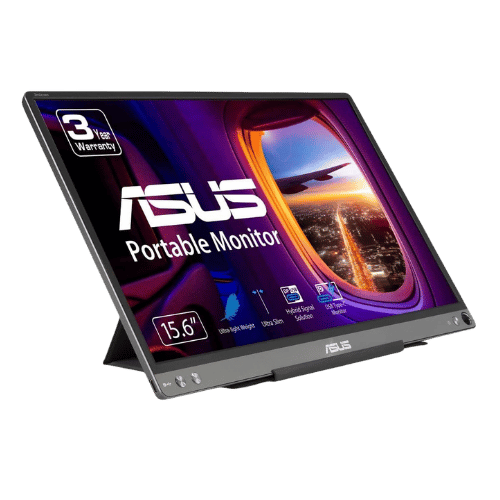
Is the ASUS ZenScreen MB16ACE 15.6" FHD Portable Monitor Worth It in 2026?
Quick Verdict:
It depends—worth it if you need portability, but skip if you need high brightness.
How This Verdict Was Reached
PageBen prioritizes usefulness for US shoppers. Affiliate commission does not decide recommendations, rankings, or verdicts.
Sources Checked
Official specifications, Retailer ratings, Manufacturer documentation, PageBen research.
Decision Factors
We weigh panel type, resolution, refresh rate, brightness, color coverage, ergonomics, and desk fit.
Editorial Standard
Research-based analysis from documented specs, published lab measurements, and verified-buyer evidence. Any hands-on note is labeled as such. Full methodology.
Is ASUS ZenScreen MB16ACE 15.6" FHD Portable Monitor worth it? It depends on your use case. The 15.6" FHD resolution offers decent display quality, but its low brightness can limit usability. This monitor is great for travelers needing a lightweight option but falls short for those needing vibrant colors and brightness in bright environments.
Is the Price Justified?
Price-to-performance ratio is crucial, and at its price range, the ASUS ZenScreen MB16ACE offers some decent features but also some notable limitations. At 1.57 lb and 8mm thick, it's incredibly portable, making it a reliable pick for on-the-go users. However, with a brightness of only 220 cd/m², using it outside or in bright rooms can be challenging, which diminishes its overall value. For users who prioritize portability over performance, it may still be worth considering.
3 Reasons to Buy
1. Portability
Additionally, the included smart case that doubles as a stand adds to the convenience. You can quickly set it up to work in portrait or landscape mode, which is great for documents or coding. This flexibility is a significant advantage for users needing to adapt their workspace on the fly.
2. Hybrid Connectivity
Moreover, this monitor’s connectivity means you can use it with a wide range of laptops, including those from various manufacturers, without worrying about compatibility issues. This makes it an attractive option for anyone looking to enhance their productivity across multiple devices.
3. Auto-Rotation Feature
Additionally, the ability to display content in portrait mode is a bonus for those who often read or edit text-heavy documents. This enhances your workflow and makes it easier to multitask, especially when using multiple applications at once.
Reasons to Skip It
Low Brightness
This limitation affects its usability significantly, especially for tasks that require clear visibility of colors and details. Users who prioritize clarity and brightness in their displays should consider other options.
Limited Color Depth
For professionals in creative fields, this monitor may fall short of expectations. If you're involved in tasks where color fidelity is crucial, it's best to look for monitors with a higher color depth.
Technical Analysis
Key Specs at a Glance
In terms of screen size, the 15.6" display is standard for portable monitors, offering good visibility for tasks. However, with a refresh rate of 60 Hz and a 5 ms response time, it may not be suitable for fast-paced gaming or video editing, which often demand higher specs. The IPS panel provides good viewing angles of 178°, which is beneficial for collaborative work but still struggles with color accuracy due to its 6-bit color depth (262K colors). This limits the display's capability to render gradients accurately, which is a disadvantage for creative professionals who need precise color representation.
Who Is This For?
This monitor is best for professionals and students needing a portable second screen for presentations or productivity on the go. The 1.57 lb weight and 8mm thickness make it incredibly easy to carry, ideal for those who travel frequently. It's a decent fit for casual users who may not require high brightness or color accuracy but still want a functional display.
How It Stacks Up Against Alternatives
Leads the entry-level segment with the highest rating among 5 competing products.
Direct Competitors:
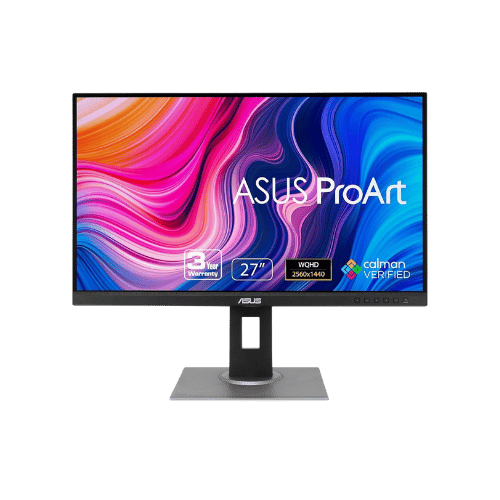
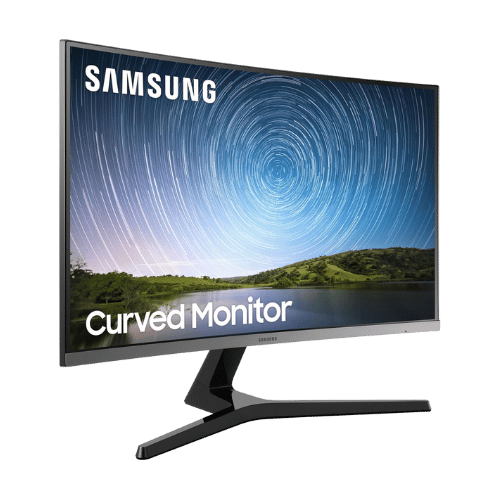
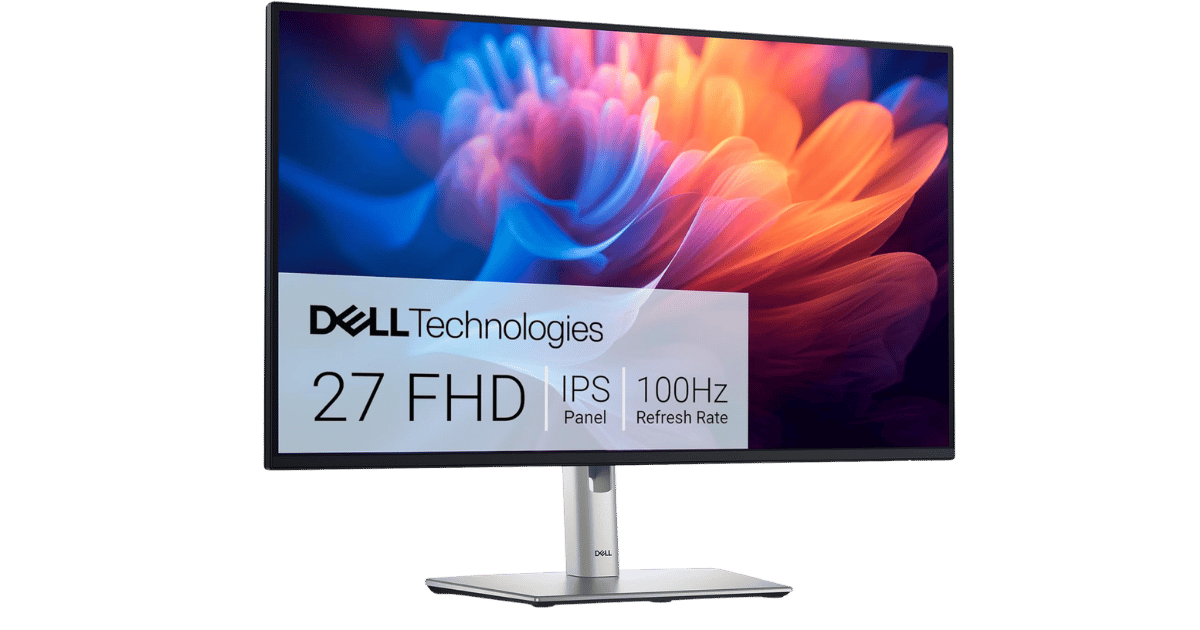
Worth the Upgrade? Premium Alternatives:
What to Expect Long-Term
Beyond the initial purchase, here's what to consider about owning the ASUS ZenScreen MB16ACE 15.6" FHD Portable Monitor:
Durability
Monitor panels last 7-10+ years. Backlight dimming is gradual and rarely an issue.
Support & Warranty
Most monitors have 3-year warranties. Dead pixel policies vary by manufacturer.
Upgrade Path
Monitor technology evolves slowly. 4K, high refresh rates, and HDR are current standards.
Resale Value
Monitors retain 30-50% value after 2-3 years. Gaming monitors with high refresh rates hold value better.
Final Decision: Should You Buy It?
✓ Buy if:
- You need a lightweight, portable monitor for travel.
- You often work with devices that require hybrid USB connectivity.
- You appreciate the convenience of auto-rotation for reading documents.
✗ Skip if:
- You need a monitor for graphic design or color-critical tasks.
- You work in bright environments where high brightness is essential.
The ASUS ZenScreen MB16ACE 15.6" FHD Portable Monitor earns its price tag. That ultra-lightweight design alone makes it worth it for travelers needing a second screen. For those who require high brightness and accurate color representation, it's wise to look elsewhere.
PageBen recommends this monitor for its portability, but be aware of its limitations with brightness and color depth. If you can work around those, it’s a handy tool for enhancing your productivity.
Quick Questions
+ Is the ASUS ZenScreen MB16ACE 15.6" FHD Portable Monitor worth buying in 2026?
It depends—worth it if you need portability, but skip if you need high brightness.
+ What are the main pros of ASUS ZenScreen MB16ACE 15.6" FHD Portable Monitor?
Key advantages: Hybrid Signal Solution allows connection to both USB-C and USB-A (via driver) devices; Ultra-lightweight (1.57 lbs) and slim (8mm) design fits easily in laptop bags; Smart Case included; doubles as a protective cover and adjustable stand. These make it suitable for specific users in the monitors market.
+ What are the downsides of ASUS ZenScreen MB16ACE 15.6" FHD Portable Monitor?
Main considerations: Low peak brightness (220 nits typical) makes it difficult to use in bright environments; 6-bit color depth (262K colors) results in inferior color accuracy and gradients; No built-in speakers or audio output jack. Consider whether these affect your specific use case.
+ How long will the ASUS ZenScreen MB16ACE 15.6" FHD Portable Monitor last?
Monitor panels last 7-10+ years. Backlight dimming is gradual and rarely an issue.
+ What warranty does ASUS ZenScreen MB16ACE 15.6" FHD Portable Monitor come with?
Most monitors have 3-year warranties. Dead pixel policies vary by manufacturer.
+ How does ASUS ZenScreen MB16ACE 15.6" FHD Portable Monitor compare to alternatives?
Leads the entry-level segment with the highest rating among 5 competing products. Direct competitors include ASUS ProArt Display PA278QV 27" WQHD Monitor, Samsung CR500 Series 27" Curved FHD Monitor, Dell P2725H 27" FHD 100Hz Monitor. Check our detailed comparison pages for head-to-head analysis.
+ Where can US buyers get ASUS ZenScreen MB16ACE 15.6" FHD Portable Monitor?
For US buyers, Amazon offers competitive pricing, fast Prime shipping, easy returns, and reliable warranty support. Use our link above to check current availability and pricing—prices can fluctuate frequently.