
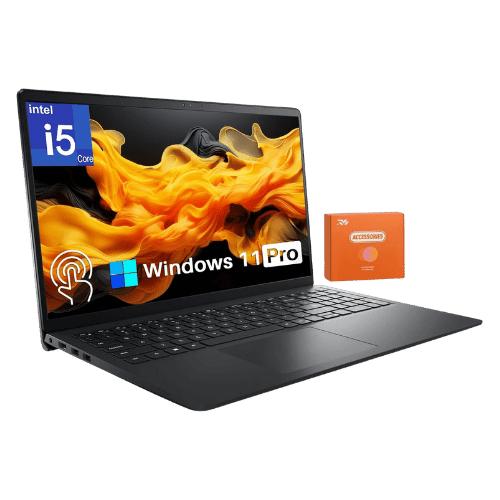
Is the Dell Inspiron 15 3520 — Intel Core i5-1235U Worth It in 2026?
Quick Verdict:
It depends—worth it if you value the 120Hz display for smoother visuals, overkill otherwise.
How This Verdict Was Reached
PageBen prioritizes usefulness for US shoppers. Affiliate commission does not decide recommendations, rankings, or verdicts.
Sources Checked
Official specifications, Retailer ratings, Manufacturer documentation, PageBen research.
Decision Factors
We weigh processor class, memory, display quality, battery life, ports, weight, and upgrade limits.
Editorial Standard
Research-based analysis from documented specs, published lab measurements, and verified-buyer evidence. Any hands-on note is labeled as such. Full methodology.
Is Dell Inspiron 15 3520 — Intel Core i5-1235U worth it? It depends on your priorities. The 120Hz refresh rate is a standout feature for casual gamers and everyday users wanting smoother scrolling. If you need robust performance for intensive tasks, look elsewhere.
This laptop is best for students or professionals who need a reliable everyday machine but not ideal for power users or gamers needing high-end specs. It delivers decent performance but lacks some premium features.
PageBen’s take: You get a solid everyday laptop with decent specifications, but without some modern essentials like USB-C. For under $600, it’s a fair buy if the strengths align with your usage.
Is the Price Justified?
Price-to-performance ratio is crucial in 2026, and the Dell Inspiron 15 3520 holds its ground. At a competitive price, you get an Intel Core i5-1235U processor, which is plenty fast for everyday tasks and casual gaming. However, with limited GPU capabilities, this laptop isn't designed for heavy graphics work, making it less appealing if you're into gaming or content creation.
The 16GB RAM option is commendable, ensuring multitasking is smooth. But the integrated Intel Iris Xe graphics can fall short for demanding applications, limiting its appeal for graphic designers or video editors.
When comparing storage, the 512GB PCIe NVMe SSD is a plus, offering fast load times and surprisingly good performance for a budget laptop. However, alternatives like the Acer Aspire 5 offer similar specs with better graphics options at similar prices.
The display quality is a mixed bag. While the 120Hz refresh rate is excellent for smoother visuals, the 45% NTSC color gamut means it’s not ideal for color-critical work like photo editing. This is a significant drawback for creative professionals.
Ultimately, while you get performance and a good refresh rate, features like the lack of a USB-C port and limited display quality might leave some users feeling shortchanged. It’s a fair investment for casual use but not for everyone.
3 Reasons to Buy
1. Smooth Scrolling with 120Hz Display
The 120Hz refresh rate is a standout feature, providing a smoother experience than most budget laptops stuck at 60Hz. This makes scrolling through documents or web pages incredibly fluid, which is a significant upgrade for users who value visual performance. If you’re into casual gaming or enjoy smoother visuals, this feature is a game-changer.
Additionally, the IPS anti-glare panel offers wide viewing angles, making it easier to share your screen with others. This is a great asset for students in group projects or professionals during presentations, enhancing collaboration and usability.
2. Upgradeable Memory and Storage Options
The ability to upgrade RAM and storage is a rare find in budget laptops. With 2x SODIMM slots, you can boost the memory to 32GB, ensuring future-proofing for heavier applications. This flexibility allows users to tailor the laptop to their needs, whether for basic tasks or more intensive workloads.
The 512GB PCIe NVMe SSD also provides ample storage for documents, media, and applications, with upgrade options for even more capacity. This means you won’t run out of space quickly, which is a common drawback in other budget laptops.
3. Decent Port Selection
With three USB-A ports and an HDMI port, the Dell Inspiron 15 3520 offers a decent selection for connectivity. This is particularly valuable for users who connect peripherals like external drives or monitors frequently. The inclusion of a full-size SD card slot is also a significant advantage for photographers or content creators who need to transfer files from cameras easily.
However, the absence of a USB-C port in most retail units is disappointing. Still, the current port selection is functional for general use, making it a viable option for students and casual users.
Reasons to Skip It
Limited Graphics Performance
While the Intel Iris Xe Graphics are adequate for light tasks, they fall short for serious gaming or graphic-intensive applications. If you plan to use this laptop for gaming or video editing, you’ll find it lacking. It’s not suitable for users who need higher performance graphics capabilities, which are available in competing models with dedicated GPUs.
This limitation impacts anyone looking to use the laptop for creative work or gaming. If you need a machine for these tasks, you’d be better off investing in alternatives that offer better graphics performance at a comparable price.
Basic Display Quality
The display's washed-out colors and 250 nits brightness make it less than ideal for media consumption or creative work. The 45% NTSC color gamut means colors won't pop, which could be a dealbreaker for photographers or videographers who rely on accurate color representation. This affects anyone serious about content creation or those looking to enjoy media in rich detail.
For users who prioritize display quality, this laptop falls short. If vibrant visuals and accurate color reproduction are a must for you, consider other options that offer better display specs.
Technical Analysis
Key Specs at a Glance
The Intel Core i5-1235U is a strong fit for everyday tasks, featuring 10 cores and a turbo boost up to 4.4 GHz. This ensures plenty of speed for browsing, office work, and streaming without hiccups. However, it may struggle with demanding applications or gaming, as it lacks a dedicated GPU.
In terms of graphics, the Intel Iris Xe Graphics integrated solution is decent but not meant for gaming or heavy graphical work. It performs adequately for light gaming but upgrades like an NVIDIA GPU in alternatives are far better for serious gamers.
The 16GB of DDR4 RAM is a significant strength, allowing for effective multitasking. You can upgrade up to 32GB, which is an attractive feature for users needing more power for applications. This flexibility gives it an edge over some competitors.
The 15.6-inch FHD display with a 120Hz refresh rate is excellent for smoother visuals during everyday tasks and casual gaming. However, at 250 nits brightness and a washed-out color gamut, it falls short for media consumption and creative work, where vibrant colors matter.
Battery life is decent with a 41 Wh or 54 Wh option, but specifics on runtime are unclear. For everyday use, you can expect a full day’s work, but heavy users might need to keep a charger handy. Competing models often provide better battery life at similar price points.
Finally, the plastic chassis feels budget-oriented but keeps the weight low at 3.65 lb. It’s portable enough for students or professionals on the move, but the lack of premium materials might deter some buyers who prefer a more upscale feel.
Who Is This For?
The Dell Inspiron 15 3520 is best suited for students or casual users needing a reliable everyday laptop. With its 16GB RAM and 120Hz display, it’s great for browsing, streaming, and basic productivity tasks. If you’re on a tight budget and want decent performance without the bells and whistles, this laptop fits the bill.
However, it’s not ideal for gamers or professionals in creative fields due to its limited graphics performance and basic display quality. If you need high-end processing power or vibrant visuals, you should look elsewhere.
How It Stacks Up Against Alternatives
Leads the budget segment with the highest rating among 2 competing products.
Direct Competitors:
Worth the Upgrade? Premium Alternatives:
What to Expect Long-Term
Beyond the initial purchase, here's what to consider about owning the Dell Inspiron 15 3520 — Intel Core i5-1235U:
Durability
Standard laptops last 3-5 years before performance feels dated. Budget builds may show wear earlier.
Support & Warranty
Apple offers the longest software support (5+ years). Windows laptops vary by manufacturer.
Upgrade Path
Consider upgradeability: RAM and SSD upgrades can extend useful life by 2-3 years.
Resale Value
Budget laptops have minimal resale value after 2 years—plan to use until end of life.
Final Decision: Should You Buy It?
✓ Buy if:
- You want a laptop for everyday tasks like browsing and streaming with a smoother display.
- You need a flexible memory upgrade option for future-proofing.
- You value a good port selection for connectivity.
✗ Skip if:
- You need a laptop for gaming or graphic-intensive work.
- You prioritize display quality and color accuracy for creative tasks.
The Dell Inspiron 15 3520 — Intel Core i5-1235U earns its price tag. That 120Hz refresh rate alone makes it worth it for students and casual users who want smooth visuals.
For those needing serious performance or vibrant displays, look for alternatives. PageBen recommends considering your primary use case before purchasing.
Quick Questions
+ Is the Dell Inspiron 15 3520 — Intel Core i5-1235U worth buying in 2026?
It depends—worth it if you value the 120Hz display for smoother visuals, overkill otherwise.
+ What are the main pros of Dell Inspiron 15 3520 — Intel Core i5-1235U?
Key advantages: 120Hz refresh rate provides smoother scrolling than typical 60Hz budget laptops; Memory (RAM) is not soldered and can be upgraded via two SODIMM slots; Includes a full-size SD card slot (rare in modern laptops). These make it suitable for specific users in the laptops market.
+ What are the downsides of Dell Inspiron 15 3520 — Intel Core i5-1235U?
Main considerations: Most high-volume US retail configurations (e.g., Best Buy) LACK a USB-C port; HDMI 1.4 port cannot output 4K at 60Hz (limited to 1080p); No keyboard backlight on many standard configurations. Consider whether these affect your specific use case.
+ How long will the Dell Inspiron 15 3520 — Intel Core i5-1235U last?
Standard laptops last 3-5 years before performance feels dated. Budget builds may show wear earlier.
+ What warranty does Dell Inspiron 15 3520 — Intel Core i5-1235U come with?
Apple offers the longest software support (5+ years). Windows laptops vary by manufacturer.
+ How does Dell Inspiron 15 3520 — Intel Core i5-1235U compare to alternatives?
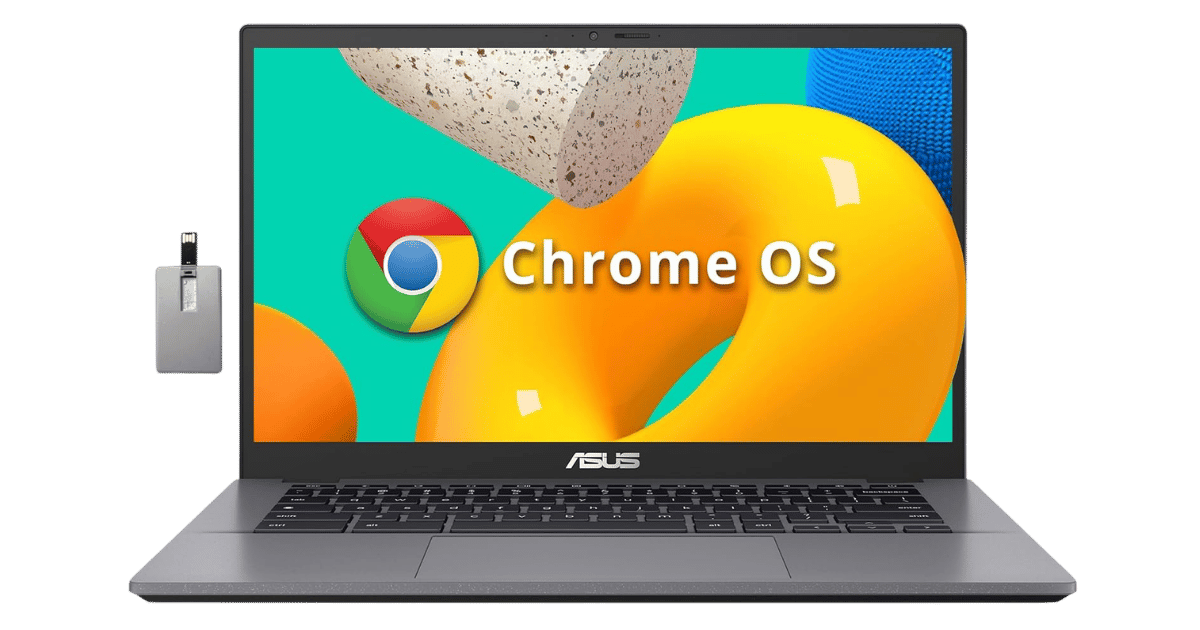
Leads the budget segment with the highest rating among 2 competing products. Direct competitors include ASUS Chromebook Plus CX34. Check our detailed comparison pages for head-to-head analysis.
+ Where can US buyers get Dell Inspiron 15 3520 — Intel Core i5-1235U?
For US buyers, Amazon offers competitive pricing, fast Prime shipping, easy returns, and reliable warranty support. Use our link above to check current availability and pricing—prices can fluctuate frequently.