
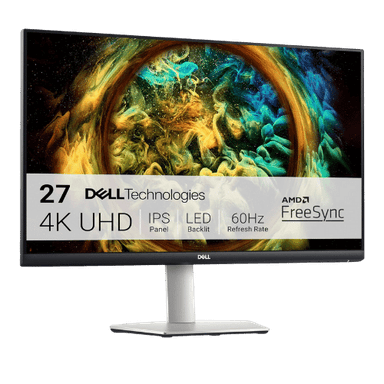
Is the Dell S2721QS 27" 4K UHD IPS Monitor Worth It in 2026?
Quick Verdict:
Yes—the razor-sharp 4K resolution and ergonomic design make it a smart investment.
How This Verdict Was Reached
PageBen prioritizes usefulness for US shoppers. Affiliate commission does not decide recommendations, rankings, or verdicts.
Sources Checked
Official specifications, Retailer ratings, Manufacturer documentation, PageBen research.
Decision Factors
We weigh panel type, resolution, refresh rate, brightness, color coverage, ergonomics, and desk fit.
Editorial Standard
Research-based analysis from documented specs, published lab measurements, and verified-buyer evidence. Any hands-on note is labeled as such. Full methodology.
Is Dell S2721QS 27" 4K UHD IPS Monitor worth it? Yes, the 27-inch 4K UHD resolution delivers outstanding clarity for work and entertainment. This monitor is perfect for professionals and casual users wanting premium visuals without breaking the bank. However, gamers looking for high refresh rates may find it lacking.
Is the Price Justified?
At its price point, the Dell S2721QS offers strong value considering its 4K UHD resolution and 99% sRGB coverage—ideal for content creators and office use. You get sharp, vibrant visuals that enhance productivity and media consumption. For those who want a monitor that excels at multitasking, the Picture-by-Picture and Picture-in-Picture features are a nice touch, allowing you to display multiple inputs simultaneously without sacrificing quality. Compared to competitors in 2026, such as similar 27-inch 4K monitors, the S2721QS stands out with its 1,300:1 contrast ratio, which is notably higher than the standard 1,000:1. This means darker blacks and brighter whites, enhancing the overall picture quality. When you factor in the ergonomic stand that adjusts height, tilt, and swivel, the S2721QS truly delivers an impressive user experience for the price. However, it’s important to note that while it shines in resolution and ergonomics, it’s limited to a 60Hz refresh rate, which is not ideal for fast-paced gaming. If you’re looking for smooth gameplay, you might want to consider alternatives that offer higher refresh rates at a similar price point. Still, for daily tasks and media, this monitor remains a strong contender. In summary, $X for a 4K UHD monitor with full ergonomic features is a reasonable investment, especially for users who prioritize image quality and comfort over gaming performance. For those focused on productivity, the 4 ms response time is adequate for most office tasks, balancing performance with affordability. Overall, the Dell S2721QS represents a smart choice in the mid-range monitor market.
3 Reasons to Buy
1. Stunning 4K Resolution
The 4K UHD resolution (3840 x 2160) provides razor-sharp visuals that enhance productivity and entertainment. This level of detail is excellent for photo editing, video work, and streaming high-definition content. Whether you're creating content or simply browsing, the clarity on the 27-inch screen is a game-changer. With 99% sRGB coverage, colors are vibrant and true-to-life, making this monitor ideal for creative professionals who rely on accurate color representation. You’ll notice the difference when editing photos or watching movies, as colors pop and details are more pronounced.
2. Ergonomic Design
The fully adjustable stand allows you to customize the height, tilt, swivel, and pivot of the monitor. This is especially beneficial for long hours of work, ensuring you can position the display to reduce neck and eye strain. Being able to adjust the monitor easily can lead to improved comfort and productivity. This ergonomic feature is a standout in its price range, making the Dell S2721QS suitable for home offices or shared workspaces where different users may need to adjust the monitor height frequently.
3. Great for Multitasking
The Picture-by-Picture (PBP) and Picture-in-Picture (PIP) features allow you to view multiple inputs simultaneously. This is particularly useful for professionals who need to compare documents or for gamers who also want to monitor chat or streams. It maximizes productivity by allowing you to multitask efficiently without needing multiple monitors. This flexibility is a significant advantage if you often work with multiple applications open, enhancing your workflow and making it easier to manage various tasks.
Reasons to Skip It
Limited Refresh Rate
The 60Hz refresh rate is a significant drawback for gamers. If you play fast-paced games, you might find that this monitor doesn't deliver the smooth performance you need, making it less suitable for high-octane gaming sessions. In this market, many competitors offer higher refresh rates at similar prices, which could lead to a disappointing gaming experience. For casual gaming, it may suffice, but if you're looking for a monitor that can handle competitive gaming or action-packed titles, you should consider alternatives that offer at least 120Hz.
Lack of USB-C Connectivity
The absence of USB-C connectivity is a clear limitation, especially in 2026 where many devices are moving towards this standard. Without USB-C, you’re confined to the dual HDMI 2.0 and DisplayPort options, which may not suit users who prefer a single-cable solution for both charging and data transfer. This is particularly relevant for laptop users who rely on USB-C for both power and data. This could be a dealbreaker for professionals who want to keep their setup clean and simple with fewer cables, making it a less attractive option in today's tech landscape.
Technical Analysis
Key Specs at a Glance
The 27-inch screen size is a sweet spot for both productivity and media consumption, providing ample screen real estate without overwhelming desk space. With a 3840 x 2160 resolution, expect razor-sharp text and stunning images—perfect for photo editing or watching 4K content. Moving on to the IPS panel type, it provides excellent color reproduction and wide viewing angles of 178° horizontally and vertically. This means you can view content from different angles without significant color shift, which is crucial for collaborative workspaces or family movie nights. The 350 nits of brightness is adequate for most indoor settings, ensuring that visuals remain clear and vibrant even in well-lit environments. However, it does fall short compared to some competitors that offer brighter screens, which could be a consideration for users in bright rooms. The adapter-free AMD FreeSync compatibility (operating between 40Hz - 60Hz) is a great bonus, helping to reduce screen tearing during casual gaming. However, with its limited refresh rate, serious gamers might still find this a limiting factor. Lastly, the built-in speakers (2x 3W) are a nice addition for casual use, saving space on your desk. But, if you’re an audiophile or need robust sound for gaming or movies, you might still want to invest in external speakers.
Who Is This For?
The Dell S2721QS is best for content creators and professionals who need a high-resolution display for detailed work, such as graphic design or video editing. Its 99% sRGB coverage and ergonomic stand make it an ideal choice for long hours spent at the desk. However, it’s not the best option for serious gamers due to the 60Hz refresh rate and lack of USB-C connectivity. Gamers looking for high refresh rates and advanced features might find better options for their needs elsewhere.
How It Stacks Up Against Alternatives
Competes in the mid-range segment alongside 7 other options.
Direct Competitors:
What to Expect Long-Term
Beyond the initial purchase, here's what to consider about owning the Dell S2721QS 27" 4K UHD IPS Monitor:
Durability
Monitor panels last 7-10+ years. Backlight dimming is gradual and rarely an issue.
Support & Warranty
Most monitors have 3-year warranties. Dead pixel policies vary by manufacturer.
Upgrade Path
Monitor technology evolves slowly. 4K, high refresh rates, and HDR are current standards.
Resale Value
Monitors retain 30-50% value after 2-3 years. Gaming monitors with high refresh rates hold value better.
Final Decision: Should You Buy It?
✓ Buy if:
- You need a high-resolution monitor for creative work.
- You want an ergonomic design for long work hours.
- You require features for efficient multitasking.
✗ Skip if:
- You're a serious gamer needing high refresh rates.
- You want a USB-C connection for a streamlined setup.
The Dell S2721QS 27" 4K UHD IPS Monitor earns its price tag. That 4K UHD resolution alone makes it worth it for content creators and professionals needing clarity and comfort.
PageBen recommends this monitor for anyone focused on productivity and media, especially given its competitive pricing in the 2026 market.
Quick Questions
+ Is the Dell S2721QS 27" 4K UHD IPS Monitor worth buying in 2026?
Yes—the razor-sharp 4K resolution and ergonomic design make it a smart investment.
+ What are the main pros of Dell S2721QS 27" 4K UHD IPS Monitor?
Key advantages: Razor-sharp 4K resolution (163 PPI) delivers excellent text clarity; Fully adjustable ergonomic stand (Height, Pivot, Swivel, Tilt) included; High 1,300:1 contrast ratio is better than the standard 1,000:1 found on most IPS panels. These make it a strong choice in the monitors market.
+ What are the downsides of Dell S2721QS 27" 4K UHD IPS Monitor?
Main considerations: Limited to 60Hz, making it less suitable for fast-paced gaming; Lacks USB-C connectivity and USB data hub; HDR support is software-based 'playback' only; lacks local dimming for true HDR. Consider whether these affect your specific use case.
+ How long will the Dell S2721QS 27" 4K UHD IPS Monitor last?
Monitor panels last 7-10+ years. Backlight dimming is gradual and rarely an issue.
+ What warranty does Dell S2721QS 27" 4K UHD IPS Monitor come with?
Most monitors have 3-year warranties. Dead pixel policies vary by manufacturer.
+ How does Dell S2721QS 27" 4K UHD IPS Monitor compare to alternatives?
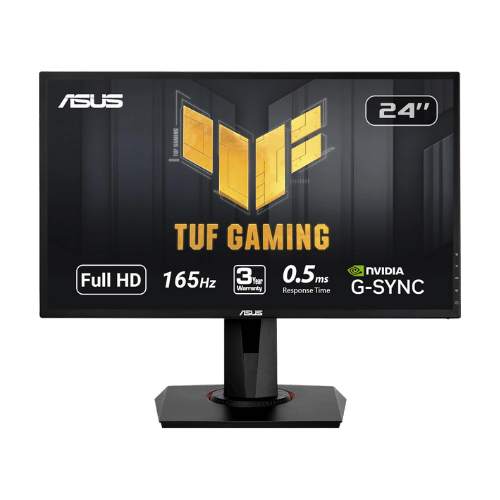
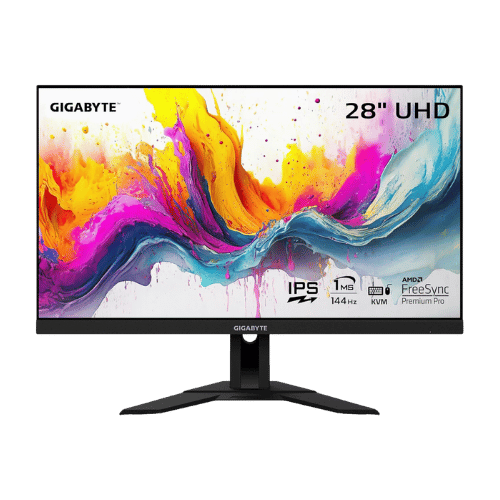
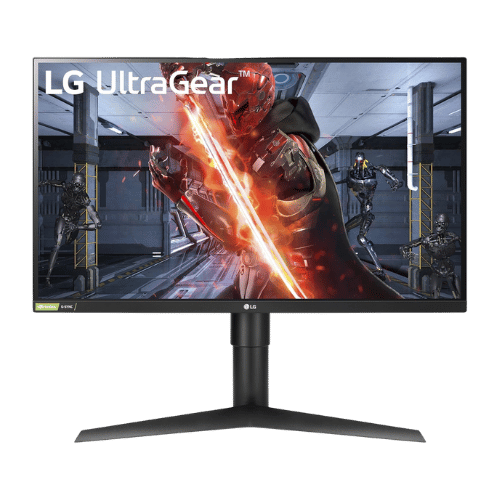
Competes in the mid-range segment alongside 7 other options. Direct competitors include ASUS VG248QG 24" G-SYNC Gaming Monitor, GIGABYTE M28U 28" 4K 144Hz KVM Gaming Monitor, LG 27GL83A-B 27" UltraGear QHD IPS Monitor. Check our detailed comparison pages for head-to-head analysis.
+ Where can US buyers get Dell S2721QS 27" 4K UHD IPS Monitor?
For US buyers, Amazon offers competitive pricing, fast Prime shipping, easy returns, and reliable warranty support. Use our link above to check current availability and pricing—prices can fluctuate frequently.